Bank Statement Data Extraction: Extract Transactions and Validate Balances With Python
How to build a bank statement parser with Python and the Unsiloed API: extract every transaction to JSON, check running balances and totals against the statement summary, and export the rows to CSV.

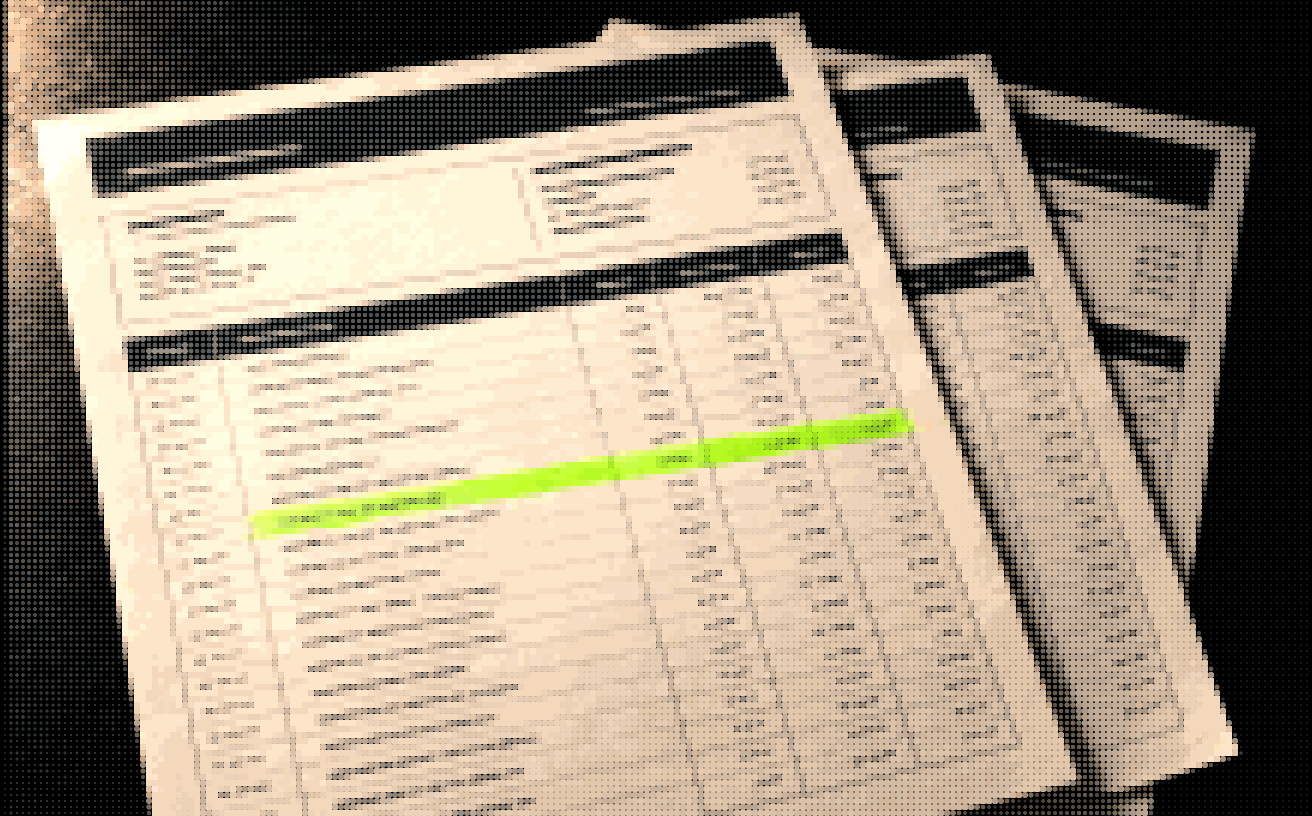
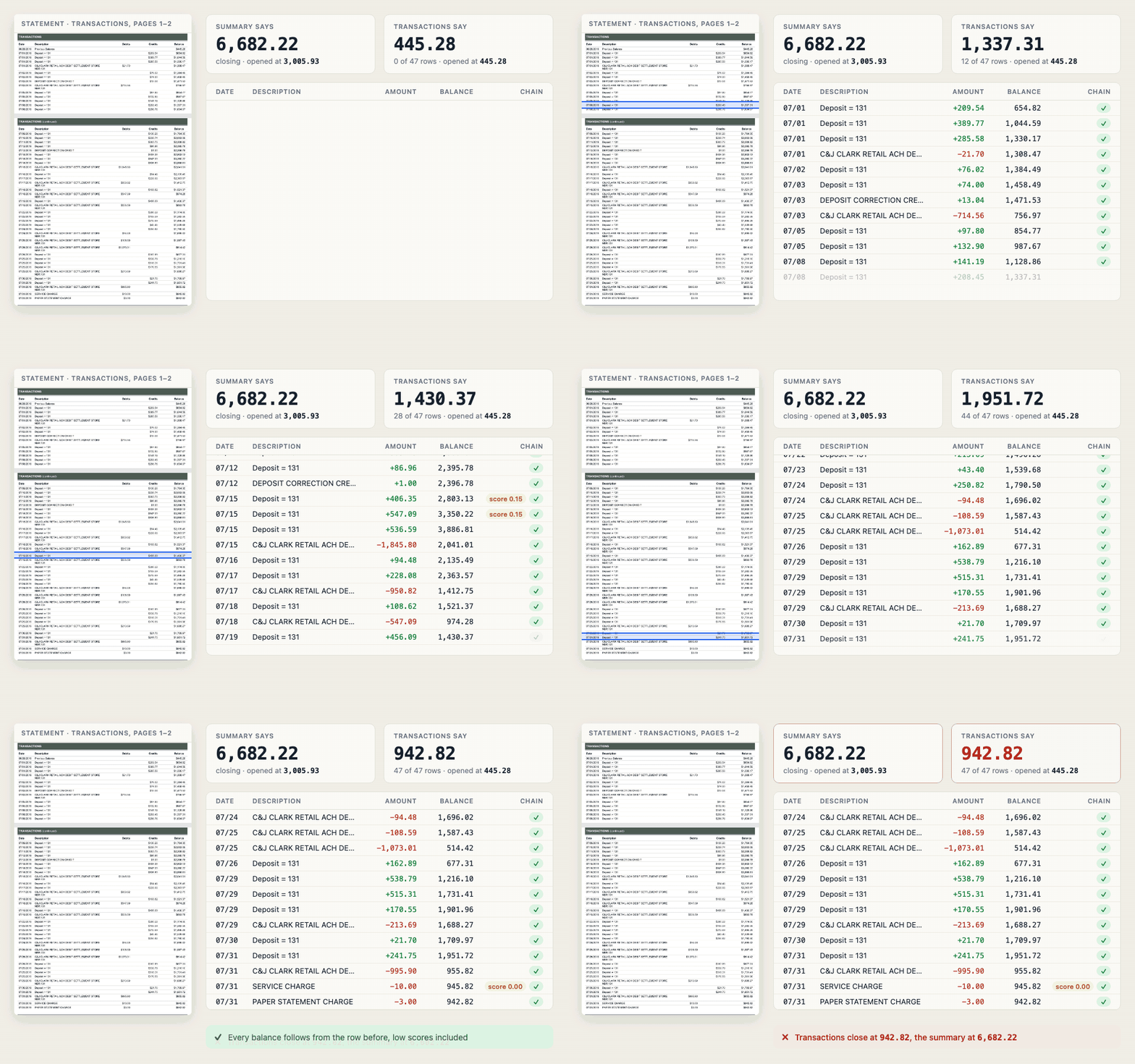
Checking extracted data usually means a person comparing it against the page. A bank statement can check itself. Every running balance follows from the one before it, and the summary at the top has to agree with all of them, so a misread or missing row shows up as arithmetic that doesn't add up.
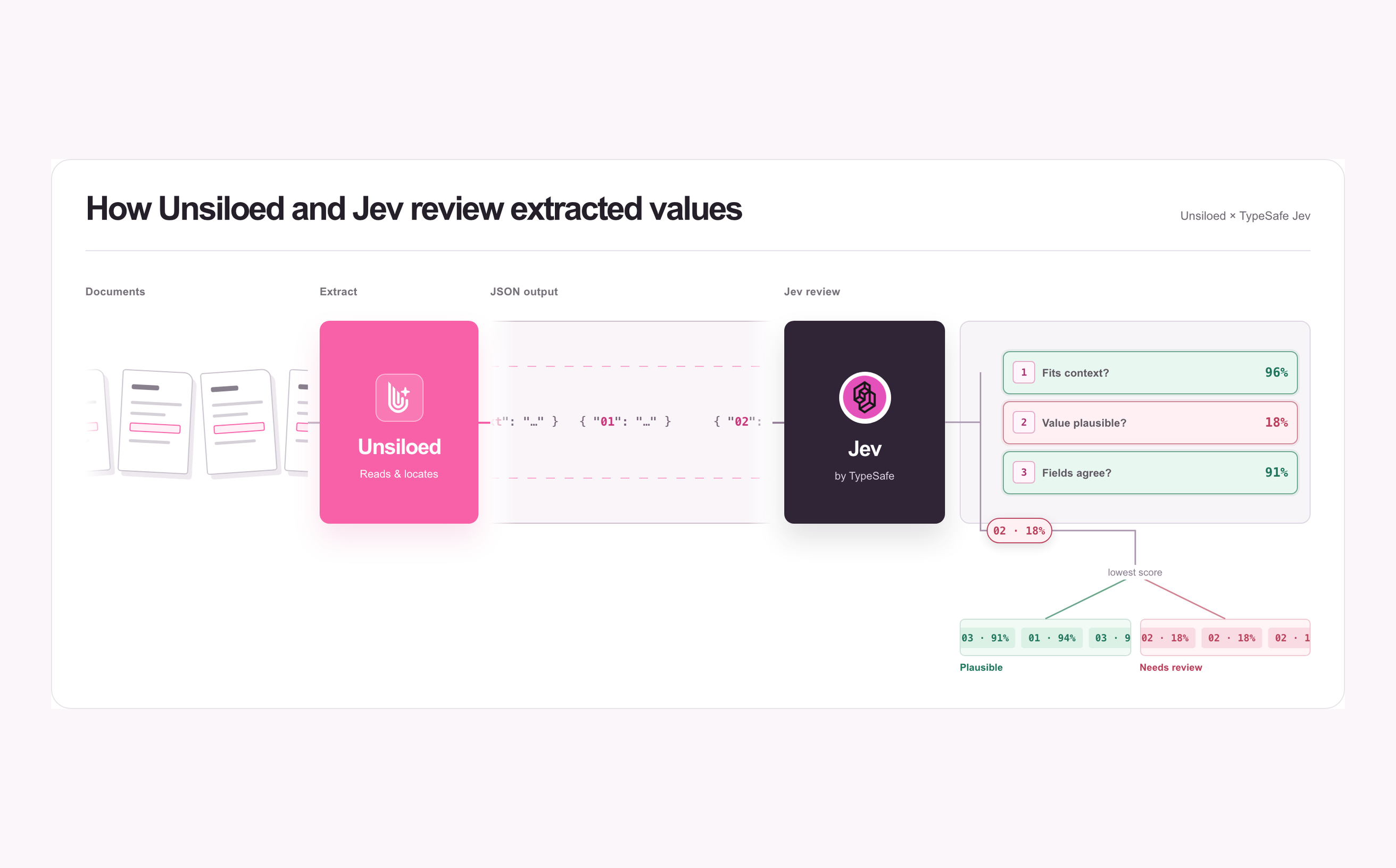
This guide builds a bank statement parser with Python and the Unsiloed API. The extraction API returns every transaction as its own object, with a confidence score on each value and a box marking where it sits on the page. Python then runs three balance checks before any row reaches a spreadsheet or ledger.
The example throughout is Carson Bank's sample statement, and it shows why all three checks matter. All 47 of its transactions chain correctly, and its summary adds up on its own, but the two don't agree with each other. The six pages also hold a transaction table that spans two pages, a separate checks section, and a loan account bundled into the same PDF.
Why Bank Statement Parsers Break
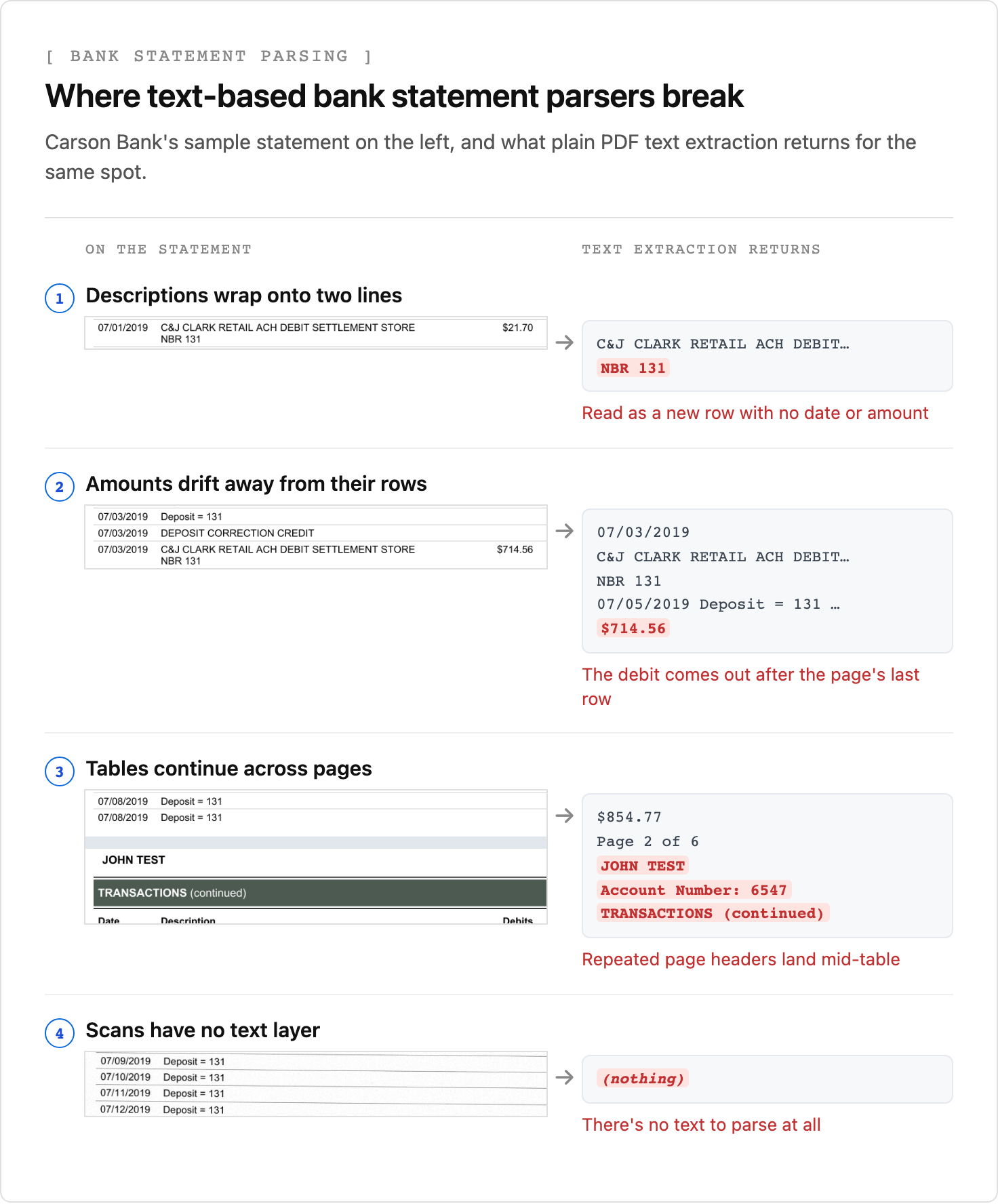
A bank statement parser built on PDF text extraction or per-bank templates works for the statements it was written against, and five things break it as statements vary.
- Every bank has its own layout. Column order, date formats, and section names differ between banks and change when a bank redesigns its statements, so a template per bank turns into a maintenance job.
- Descriptions wrap. A card settlement on the Carson Bank statement prints as
C&J CLARK RETAIL ACH DEBIT SETTLEMENT STOREwithNBR 131on the line below. Line-based parsers read the second line as a new transaction with no date and no amount. - Amounts drift away from their rows. Text extraction that follows the PDF's internal order can emit an amount far from its row. On the Carson Bank statement, the
$714.56debit on 07/03 comes out after the last row on page 1. Without positions, a deposit and a withdrawal of the same amount also look identical, because only the column says which it is. - Tables continue across pages. The transaction table on the Carson Bank statement starts on page 1 and continues on page 2 under a
TRANSACTIONS (continued)heading, with the page number, account holder, and account number repeated in between. A parser has to drop the repeated parts and join the rows into one table, which is a known weak point of page-by-page extraction. - Statements arrive as scans. A statement that someone printed and scanned or photographed has no text layer at all, or only an OCR layer of uneven quality.
Extraction that reads the rendered page avoids these failure points, because it doesn't depend on a text layer or fixed coordinates. It reads the table the way a person does, with one row per transaction wherever the page breaks fall and each amount under its own column. The balance checks later in this guide then check the result on every statement.
How to Extract Bank Statement Data to JSON With Python and the Unsiloed API
Check which layout your statements use before you write the schema, because each variation changes the schema or the checks:
- Where the running balance appears. Some statements print it on every row, some only on the last transaction of each day, and some list end-of-day balances in a separate section. This decides how the chain check runs.
- How debits and credits are separated. Some statements use separate columns and others use separate deposit and withdrawal sections. Map both to the same
debitandcreditfields so the checks work the same way on either layout. - Where paid checks are listed. Many statements list them in their own section by check number, sometimes in addition to the transaction table. Extract them as a separate
checksarray. - Which accounts are in the PDF. A checking statement can include savings accounts, loans, or lines of credit, each with its own summary and transactions. Name the account you want in the field descriptions so the others stay out of the result.
The Unsiloed extraction endpoint takes a document and a JSON schema and returns each schema field filled in, with a confidence score and, when citations are enabled, the field's location on the page. The transaction table is an array of objects, and its description tells the model how to handle the table's quirks:
"transactions": {
  "type": "array",
  "description": "Every row of the checking account TRANSACTIONS table, across all pages, in order. Exclude the Previous Balance row. A description that wraps onto a second line belongs to the row above.",
  "items": {"type": "object", "properties": {
    "date": {"type": "string", "description": "MM/DD/YYYY"},
    "description": {"type": "string"},
    "debit": {"type": "number", "description": "Amount in the Debits column, or null"},
    "credit": {"type": "number", "description": "Amount in the Credits column, or null"},
    "balance": {"type": "number", "description": "Running balance after this row"}
  }}
}
The summary object sits next to it, with opening_balance, credits_total, debits_total, and closing_balance as numbers, and a checks array holds each check's number, date, and amount.
Sending the statement is a multipart request with Python's requests library. In the snippets that follow, path is the statement file, API is https://prod.visionapi.unsiloed.ai, API_KEY is your Unsiloed API key, schema is your full schema loaded as a dict, and result is the result object from the finished job:
import json, os, requests

with open(path, "rb") as f:
    job = requests.post(
        f"{API}/v2/extract",
        headers={"api-key": API_KEY},
        files={"pdf_file": (os.path.basename(path), f)},
        data={"schema_data": json.dumps(schema), "model": "gamma", "enable_citations": "true"},
    ).json()
The response carries a job_id. Poll GET /extract/{job_id} until its status is completed, review, or failed. Completed and review jobs both carry the extracted fields in their result, so treat a job with review status as a statement for a person to check.
The filename goes in the upload tuple because the API picks how to decode the file from its extension, so the same request accepts a PDF, a PNG, or a JPEG. Scanned statements go through the same request, and an image-only copy of the Carson Bank statement returns the same values as the original PDF.
Each value in the result arrives in the same envelope, with its value, a confidence score, and a citation:
"credit": {
  "value": 76.02,
  "score": {"grounding_score": 0.998, "extraction_score": 0.998},
  "citation": {"bbox": [450, 646, 481, 658], "page": 1, "page_width": 612.0, "page_height": 792.0}
}
The bbox is [x1, y1, x2, y2] from the top-left corner of the page, in units of that citation's own page_width and page_height. An empty cell, such as the debit on a deposit row, comes back with both value and citation set to null, and its score means nothing.
Validating Bank Statement Data With Balance Checks
A statement's activity summary and its transaction table describe the same period from two directions. The summary says where the balance started and ended, and the transactions say how it got there, which gives you three independent ways to confirm the extraction:
- The running balance chain. Each row's balance equals the previous balance plus its credit minus its debit.
- The summary arithmetic. The opening balance plus total credits minus total debits equals the closing balance.
- The table against the summary. The transactions' credits and debits add up to the summary's totals, and the last balance matches its closing balance.
Use Decimal rather than floats for the arithmetic, so that sums of cents compare exactly. A blank debit or credit cell counts as zero, but a missing balance or summary total stops the checks, because treating it as zero would let the statement pass:
from decimal import Decimal

def v(field):
    return field["value"]

def amt(field):
    if v(field) is None:
        raise ValueError("Missing amount: send the statement to review")
    return Decimal(str(v(field)))

def cell(field):
    return Decimal(0) if v(field) is None else amt(field)

tx = v(result["transactions"])
summary = v(result["summary"])
problems = []

for prev, row in zip(tx, tx[1:]):
    expected = amt(prev["balance"]) + cell(row["credit"]) - cell(row["debit"])
    if expected != amt(row["balance"]):
        problems.append(f"{v(row['date'])} {v(row['description'])}: balance {amt(row['balance'])}, expected {expected}")

opening, closing = amt(summary["opening_balance"]), amt(summary["closing_balance"])
credits_total, debits_total = amt(summary["credits_total"]), amt(summary["debits_total"])
if opening + credits_total - debits_total != closing:
    problems.append("Summary: opening + credits - debits doesn't equal closing")

credits = sum(cell(t["credit"]) for t in tx)
debits = sum(cell(t["debit"]) for t in tx)
ending = amt(tx[-1]["balance"]) if tx else opening
for name, listed, stated in [("credits", credits, credits_total),
                             ("debits", debits, debits_total),
                             ("closing balance", ending, closing)]:
    if listed != stated:
        problems.append(f"{name}: {listed:,.2f} in the transactions, {stated:,.2f} in the summary")
Some statements print a balance only on the last transaction of each day, and others list end-of-day balances in a separate section instead of a balance on every row. Run the same chain check day by day in those cases, with the previous day's balance plus that day's credits minus its debits, and include checks from the checks section on the days they cleared, unless the transaction list already includes them. When a statement lists paid checks only in their own section, add their amounts to debits before comparing totals, and add them to the export as rows.
What a Failed Balance Check Means
On the Carson Bank statement, all 47 transactions chain correctly and the summary adds up on its own, but the table fails against the summary:
credits: 7,612.77 in the transactions, 18,041.50 in the summary
debits: 7,115.23 in the transactions, 14,365.21 in the summary
closing balance: 942.82 in the transactions, 6,682.22 in the summary
The sample is a mock-up, with the statement date printed as July 31, 20XX, and its transaction table and summary describe different activity. The third check exists to catch exactly this failure. Each section reads as a plausible statement on its own, and only comparing them shows the mismatch. The eight checks listed separately on pages 2 and 3 don't close the gap either.
Each failure tells you where to look first:
- A break in the chain names the row where it happens. Compare that row and the one before it with the page through their citation boxes. If the extraction matches the page, the printed amount doesn't match the balances around it, which is also what an edited statement looks like when someone changes a transaction without recalculating every balance after it.
- A summary that doesn't add up usually means one of its four values was misread, so check them against the page. If they match, look for fees or interest the statement reports outside the credit and debit totals.
- A table that doesn't match the summary, even though both pass on their own, points to missing rows, rows from another account, transactions listed in a separate section such as checks, or pages from different statements. If none of those explains it, ask for the original statement before using it.
When to Trust Confidence Scores Versus Balance Checks
Each value's extraction_score says how confident the model is in what it read, and a low score doesn't mean the value is wrong. On the Carson Bank statement, two running balances on page 2 are read correctly but score 0.2 or lower.
The balance checks cover the amounts, which is why they matter more than scores on a statement. When the chain holds and the transaction totals match the summary, every extracted debit, credit, and balance agrees with the other extracted figures, whatever their scores. Dates and descriptions sit outside the arithmetic, so route those to review when they score low:
REVIEW_BELOW = 0.9
review = [(v(row["date"]), name, v(row[name])) for row in tx for name in ("date", "description")
          if (row[name]["score"]["extraction_score"] or 0) < REVIEW_BELOW]
Consistent doesn't mean correct, though. The checks prove the extracted values agree with each other, not that they match the page, so errors that cancel out still pass. A misread balance can be offset by a misread amount, or the model can return a summary that adds up but isn't on the page. That's why a missing value or an empty table stops the checks instead of passing them, and why the citation boxes matter.
A failed balance check goes to review too, with the citation boxes for the rows on either side of the break, so the reviewer looks at two lines of the statement instead of six pages. For how to pick the threshold, see setting confidence score thresholds for document automation.
Exporting Bank Statement Transactions to CSV or Excel
Once a statement has no failed checks and no low-confidence fields left to review, writing the transactions to CSV for a spreadsheet or accounting import takes a few lines of Python. The gate at the top keeps everything else out of your books:
import csv

if problems or review:
    raise SystemExit("Send this statement to review before exporting")

columns = ["date", "description", "debit", "credit", "balance"]
with open("transactions.csv", "w", newline="") as f:
    writer = csv.writer(f)
    writer.writerow(columns)
    writer.writerows([v(row[c]) for c in columns] for row in tx)
Open the file in Excel or Google Sheets, or map the columns to your accounting system's import format.
FAQ
How do I convert a bank statement PDF to CSV or Excel?
Extract the transaction table to JSON with one object per row, then write the rows to CSV with Python's csv module, and open the file in Excel or import it into accounting software. Check that the running balances chain and that the transactions match the statement's summary before you import, so missing or misread rows don't reach your books.
Can you extract transactions from a scanned bank statement?
Yes. Vision-based extraction reads the rendered page rather than a PDF text layer, so scanned and photographed statements need no separate OCR step. Run the balance checks on every scan, since they also catch rows a poor scan dropped.
How do you check that a bank statement adds up?
Check that each transaction's running balance equals the previous balance plus credits minus debits, that the summary's opening balance plus total credits minus total debits equals its closing balance, and that the transactions' credit and debit totals and last balance match the summary.
What is a bank statement parser?
A bank statement parser turns a statement PDF into structured data, usually a list of transactions with dates, descriptions, amounts, and balances. Text-based parsers depend on each bank's layout, while extraction APIs that read the rendered page don't need a template per bank, and read scans too.