Build an Automatic AI Accountant With Muse, Unsiloed, and Jev
Turn a month of receipts, bills and bank statements into a reconciled ledger and month-end pack, with Muse running the work, Unsiloed reading the documents and Jev making the bookkeeping calls.


In the age of AI, a small business shouldn't need an accountant to keep its books. This guide builds a bookkeeper that turns a month of receipts, bills, payouts and bank statements into a reconciled ledger and the month-end pack an accountant asks for. It asks the owner only about the items it can't settle, in plain English. It runs inside Meta's Muse agent, uses Unsiloed to read the documents and uses TypeSafe's Jev model to make the bookkeeping calls.
Each part answers only the kind of question it is reliable at. Most of the design work is deciding which part gets which question.
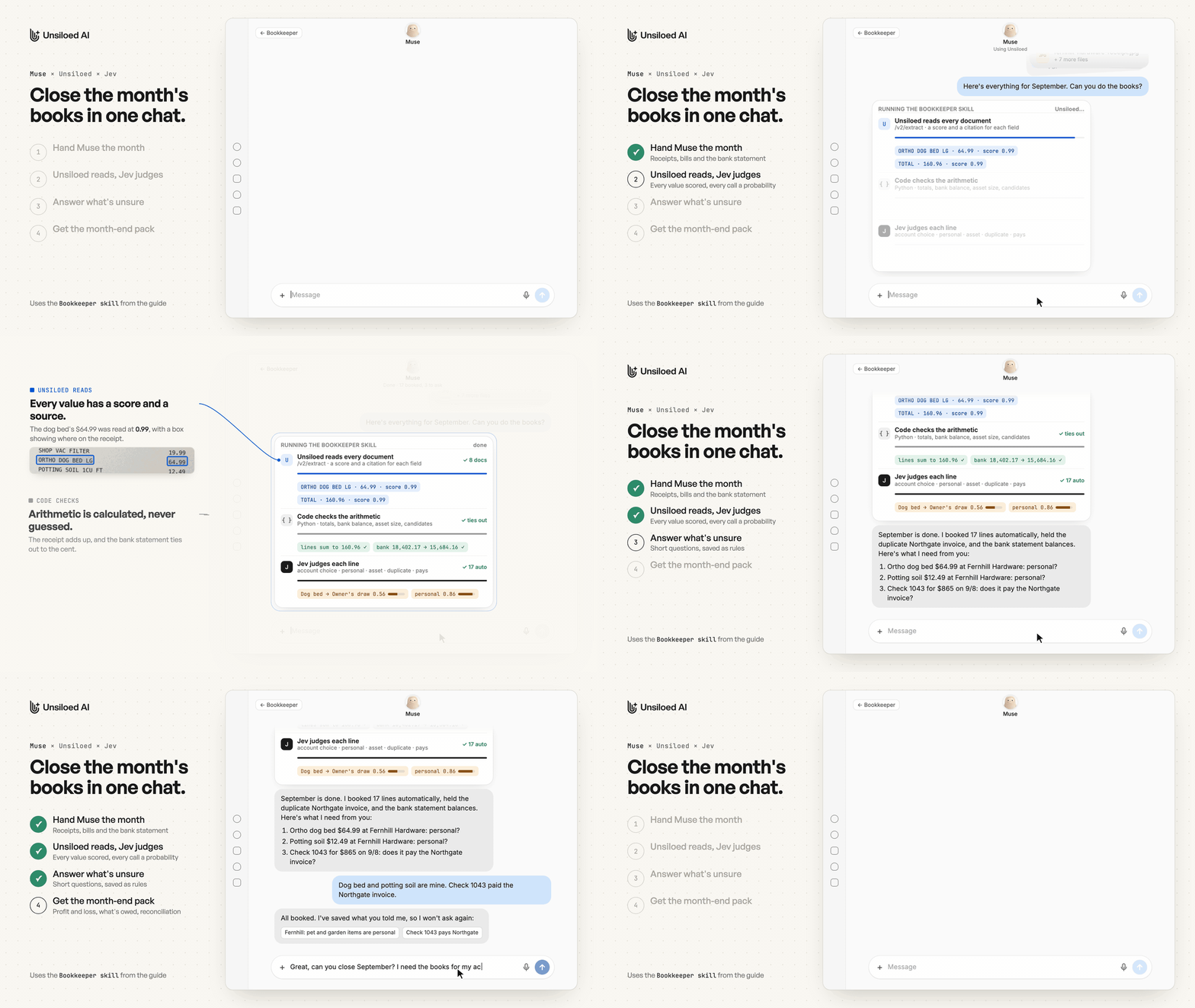
A shortened reconstruction of the September run. The screenshots below show the full exchange.
What the Owner Sees
Here is what closing September looks like for a glassblowing studio. Its month is eight documents, including a phone photo of a hardware receipt, a supplier invoice sent twice, a payout that arrives net of fees and a bank statement with 13 transactions. The owner attaches them and types:
Here's everything for September. Can you do the books?
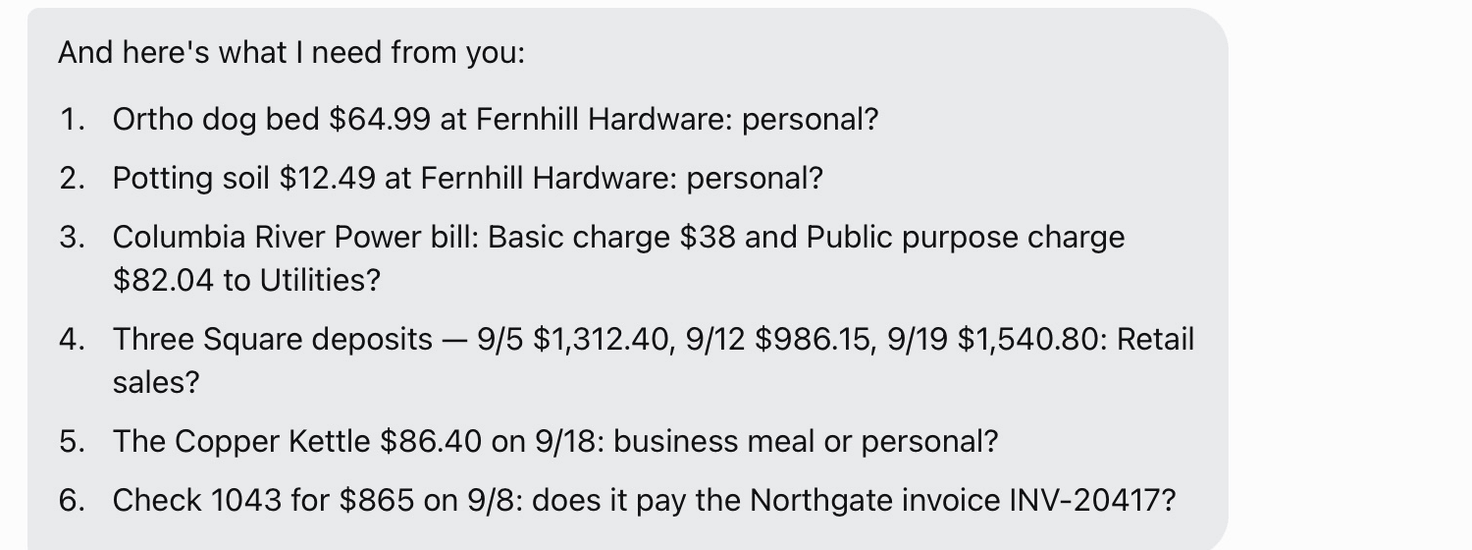
Muse replies with a short summary, the ledger so far and a numbered list of what it needs:
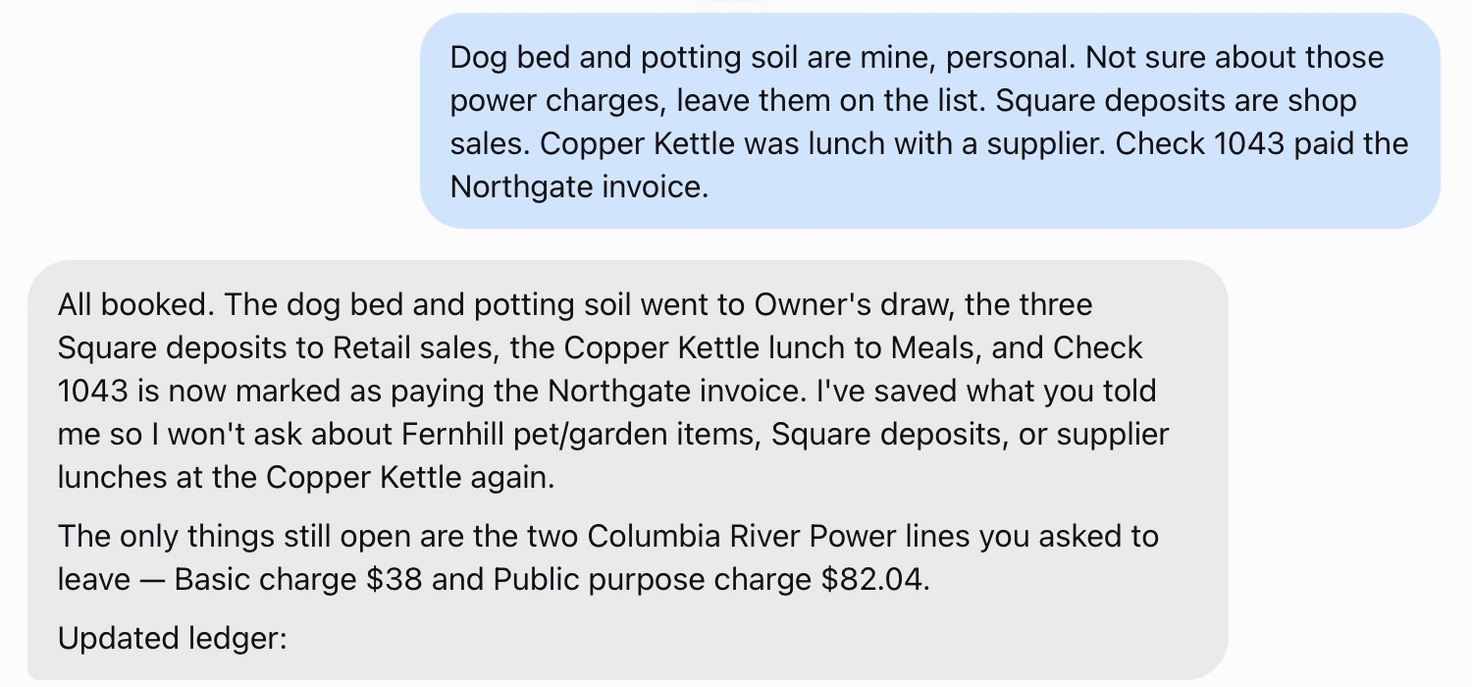
The owner answers in one message, leaving two small power charges for later. Muse books the answers and saves them as rules for next month:
Asked to close the month, Muse attaches the ledger and a month-end pack with a profit and loss, assets bought, what's still owed, a bank reconciliation and anything still open:
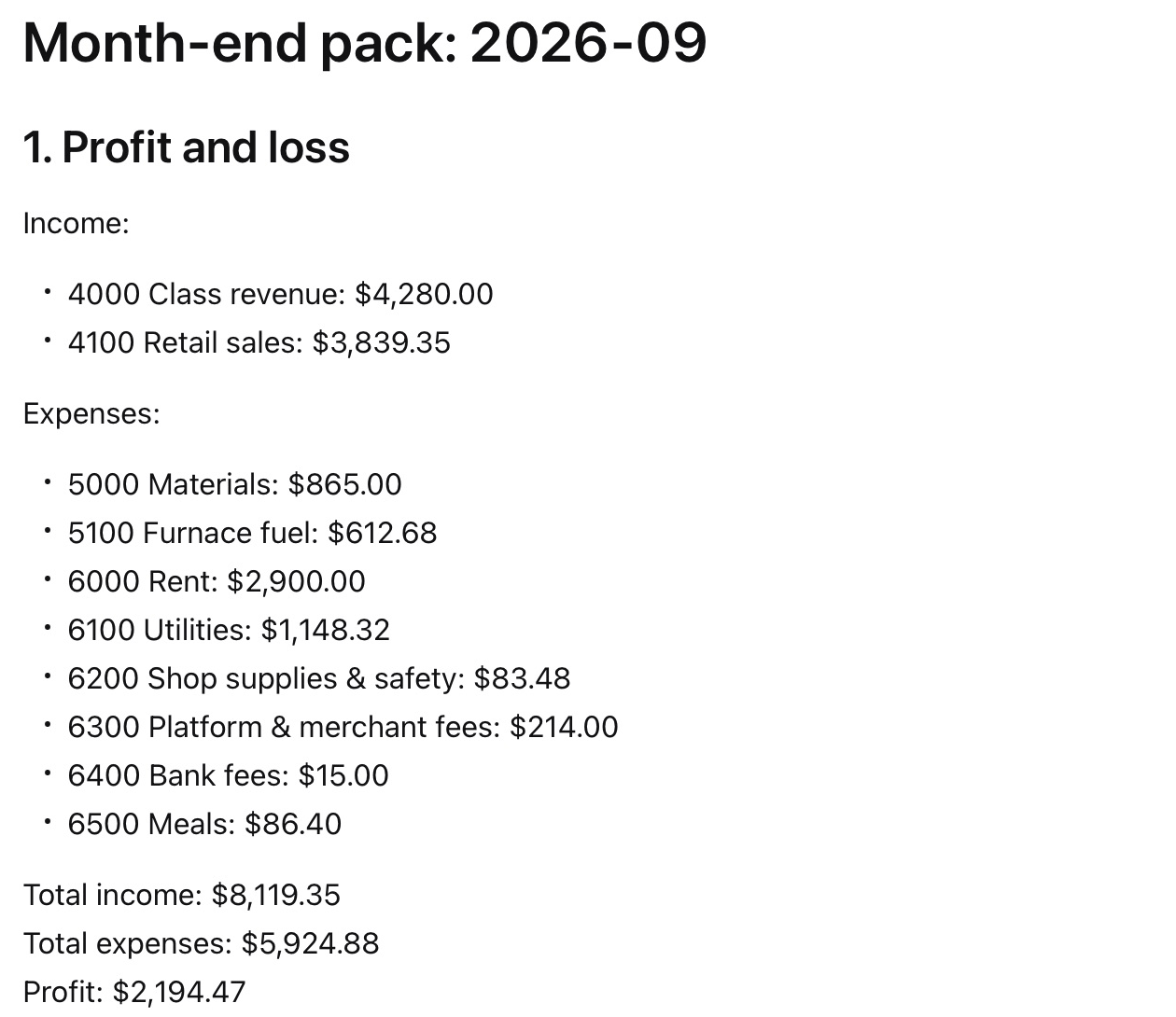
The $6,670 annealing oven is booked as equipment, not an expense. The payout is split into gross income and the platform's fee, and the $3,335 still owed on the oven after its deposit is listed. The questions to the owner carry no account codes or confidence scores; those stay in the ledger and the pack.
How the Work Is Split
| Part | Job | Why this part |
|---|---|---|
| Unsiloed | Reads every document against a schema and returns each value with a confidence score and a citation to where it is on the page | Every number in the books needs a source and a measure of how well it was read |
| Code | Anything with one right answer: totals, the bank balance, the asset threshold, duplicate and payment candidates | A calculation shouldn't depend on a model |
| Jev | Typed judgments: which account a line belongs to, and yes/no questions about personal purchases, assets, duplicates and payments, each answered with a probability | Cheap, fast probabilities on narrow questions, from a model that didn't draft the entries |
| Muse | Runs the steps, holds the API keys, talks to the owner and keeps the rules it learns | It's an assistant the owner can simply talk to |
Unsiloed and Jev score different things. Unsiloed's score says whether a value was read correctly, and Jev's says whether the booking makes sense. A high score on one says nothing about the other: the dog bed was read at 0.99 and is still a personal purchase, while the payout's total scored 0.22 because the statement prints both a gross and a net amount. The two aren't independent, though. Jev only sees what Unsiloed read, so a misread value can still get a confident booking. That's why a low read score sends a line to the owner whatever Jev says. We used the same pairing for document review; here it drives bookkeeping.
How the Bookkeeper Stays Accurate
Every Number Comes From Unsiloed With a Score and a Source
Muse can read a receipt photo itself, but its reading comes with no evidence. Unsiloed's /v2/extract endpoint takes a JSON schema for each document type (bill, receipt, payout, bank statement) and returns every field with a confidence score and, with enable_citations on, a bounding box on the page. These are the boxes it returned for the dog bed line, both read at 0.99:
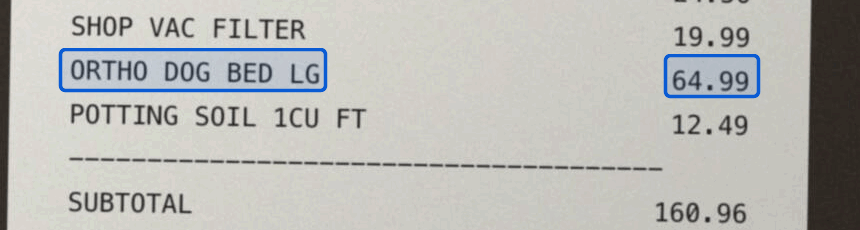
The ledger keeps the score, page and box for every amount, with the raw responses saved alongside, so any booked number traces back to the spot it was read from.
Only fields the document prints should count towards a line's score. A lump-sum line with no quantity isn't a low-confidence field, and treating it as one sent most of a power bill to review.
Code Handles Anything With One Right Answer
TypeSafe's documentation says it plainly: "Jev is not a calculator." Jev also reads dates as text. So the bookkeeper uses Python, in Muse's sandbox, for every check with one right answer:
- each document's lines add up to its total, and a payout's gross minus fees equals the net
- the bank statement's opening balance plus credits minus debits equals its closing balance
- a purchase is a possible asset if it is over the threshold
- possible duplicates: the same vendor and total, or the same document number once prefixes and punctuation are stripped
- possible bank matches: documents whose total, deposit or net payout equals a bank amount within 45 days
Jev judges only what's left. Code decides that the annealing oven costs more than $2,500, and Jev decides whether it's durable equipment.
The same goes for the month-end pack. When Muse wrote the summary in prose, it counted the oven as an expense and overstated the month's costs by $6,670, though it answered "Did buying the annealer hit my profit?" correctly. So Muse builds the pack in Python from the ledger, and the summary may only quote its figures. The pack's totals tie out to the ledger to the cent.
Writing Questions Jev Can Answer
A Jev request has one shared state and a set of independent questions. A Choice returns a probability for every option, and a Noul returns the probability that a statement is true. Questions run in parallel and Jev costs $0.042 per million input tokens, with output free, so asking several questions per line costs almost nothing. Most of the improvement came from how the questions were written.
Name the line in the question. Jev never sees question IDs, and every question reads the same state. With all of a receipt's lines in the state and the same personal question asked of each, every line scored between 0.44 and 0.46. Putting the line inside the question's instructions, the pattern TypeSafe documents, separated them:
"line_4_personal": {
  "type": "noul",
  "instructions": {
    "question": "Is `line` a personal purchase rather than a business expense of `business`?",
    "line": { "description": "ORTHO DOG BED LG", "amount": 64.99 }
  },
  "criteria": {
    "true": "An item with no use in running this business, such as pet, garden, household or grocery items.",
    "false": "Used for the business's production, safety, cleaning, upkeep, utilities or sales."
  }
}
| Line | Personal, line not named | Personal, line named, with criteria |
|---|---|---|
| Kevlar gloves | 0.45 | 0.11 |
| Shop vac filter | 0.46 | 0.21 |
| Ortho dog bed | 0.44 | 0.86 |
| Potting soil | 0.46 | 0.81 |
| Electricity | 0.51 | 0.02 |
Give borderline questions criteria. Without the true and false descriptions, the bare personal question returned exactly 0.50 for the dog bed.
Ask a question only where it applies. Asked of bank lines, the personal question scored the studio's rent 0.68 and a bank fee 0.66, and filled the review list with noise. It belongs only on itemised purchases from receipts and bills.
Say exactly what counts. Asked whether a bank line was "the payment" for an invoice, Jev scored a 50% deposit 0.52. Asked whether it was "a full payment, part payment, deposit or payout", it matched.
Keep the wording fixed. A threshold only holds for the wording and model version it was tuned on, so the skill spells out every question, pins jev-1.13.0 and tells Muse to change only the data. The account Choice also has an other option, so a line that fits no account isn't forced into the nearest one.
Thresholds Decide What Reaches the Owner
A line is booked automatically when Unsiloed's score on the fields it depends on is at least 0.90, Jev's top account is at least 0.80 likely and isn't other, and every yes/no answer is clear. A yes/no counts as no at 0.30 or below and as yes at 0.70 or above. Anything in between goes to the owner. The dog bed reached the owner because Jev's account answer scored only 0.56, even though it was 0.86 sure the purchase was personal.
The band matters more than the exact numbers, which is true of confidence thresholds in general. In TypeSafe's consistency tests, Noul answers barely moved between runs, but one ranged from 0.43 to 0.53, so a single cut-off at 0.5 would have flipped it. The numbers are starting points, and the skill asks Muse to suggest new ones once the owner has corrected a few months of books.
What Muse Adds
- No glue code. Asked to connect a service, Muse wrote the client, worked out the authentication and tested it. For the bookkeeper it also wrote a Jev batch script and the Python that builds the month-end pack.
- Keys stay out of the chat. They live in the vault, and the scripts Muse writes call the stored connectors instead of holding keys.
- A saved process. The skill keeps the steps, question wording and thresholds the same every month.
- A conversation instead of a dashboard. Review items arrive as questions the owner can answer from the Muse app on their phone, and follow-ups like "How much did I spend on materials and fuel?" get a direct answer.
- Rules from answers. After one exchange, Muse recorded that pet and garden items from the hardware store are personal and that Square deposits are shop sales. It applies those rules before asking Jev.
Running It in Muse
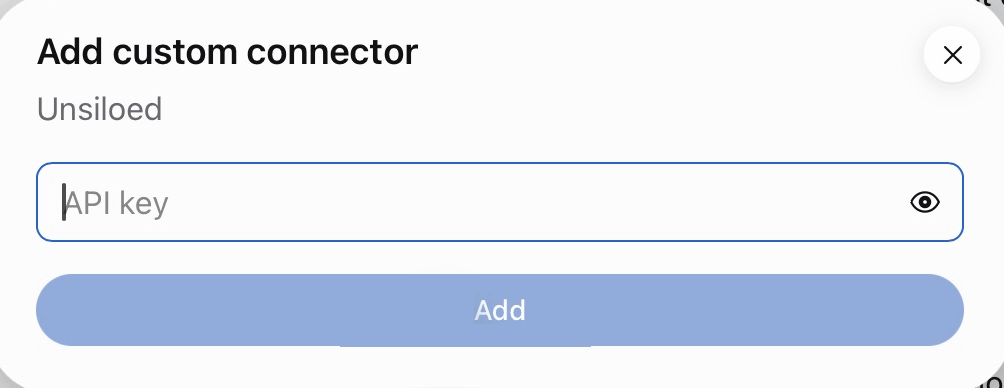
Connect Unsiloed and TypeSafe. Ask Muse to connect each service ("Connect Unsiloed so you can read my receipts and invoices."). Our Muse integration guide walks through the Unsiloed connector step by step. Muse shows a connector card with an API key field, and the key goes into its vault rather than the conversation:
Write the chart of accounts. A CSV of account codes, names and what each account is for. Jev reads the descriptions when it picks an account, so they're worth writing carefully.
Save the design as a skill. Everything above lives in one Markdown file: which part answers which question, the checks that run in code, the exact wording of every Jev question, the thresholds and what goes in the month-end pack. Muse saves it as a skill, alongside the scripts it writes, so every month runs the same way:
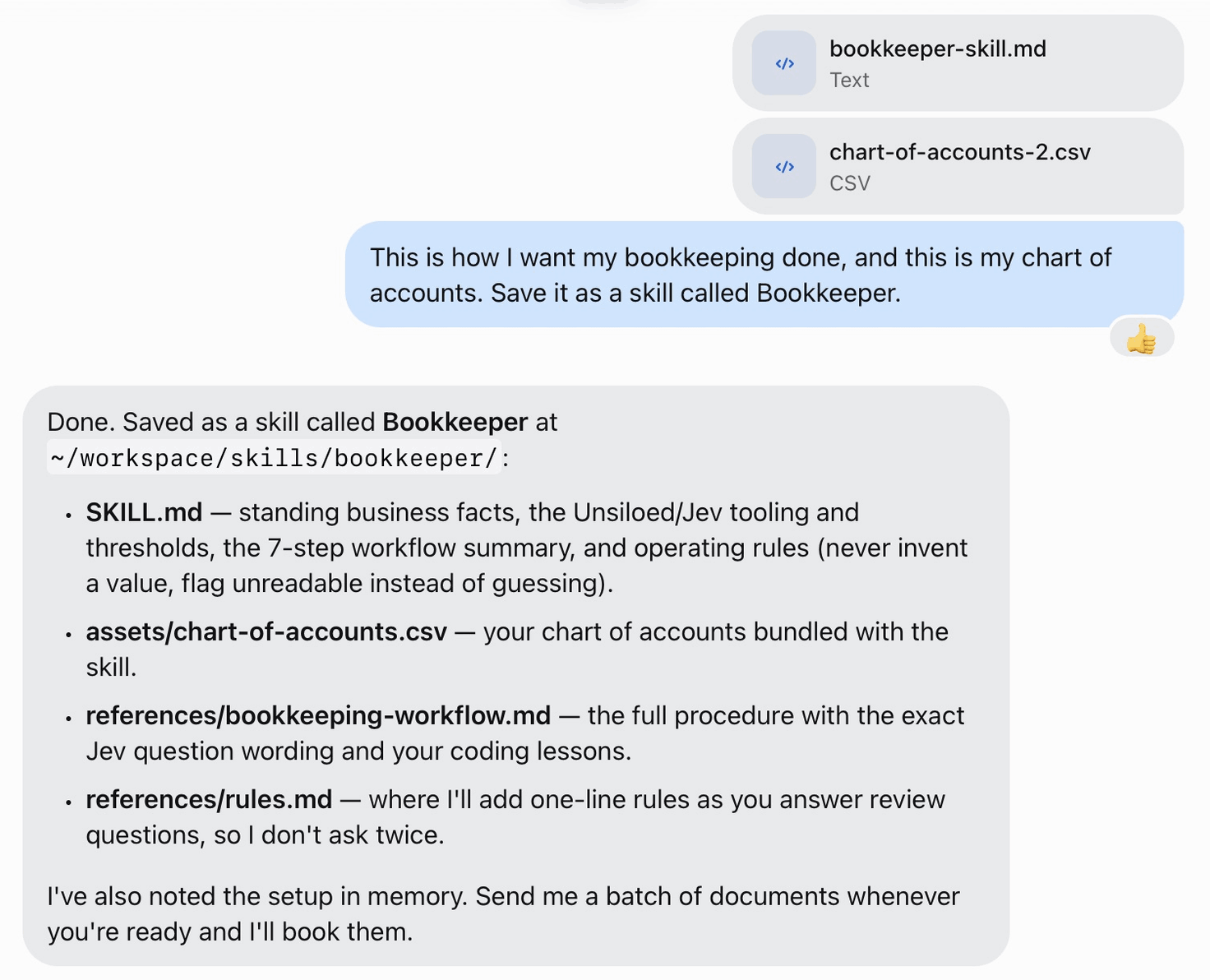
Download the Bookkeeper skill and an example chart of accounts to start from. Fill in the skill's section about your business, attach both files and ask Muse to save the skill. After that, each month starts with one sentence and a new set of attachments.
Limits
- The thresholds shown here are starting values. TypeSafe recommends fitting them on labelled data, which in practice means the owner's corrections over several months.
- Muse builds each request from the skill, so a careless edit to the skill can change a question and invalidate its threshold.
- The month-end pack is input to an accountant's review, not a replacement for one, and it doesn't cover tax.