
How to Convert a PDF to Structured JSON With Python
Convert a PDF to schema-shaped JSON, retain source citations, and validate the result.

A PDF can contain text, tables and images, but an application usually needs named fields. A JSON Schema lets you specify those fields before extracting them; validation and source review help you decide whether to use the result.
This guide converts a sample invoice into schema-shaped JSON with Python and Unsiloed Extract. It complements the PDF-to-JSON API comparison, which covers tool selection.
Generate and Extract a Sample PDF
Download the Python project, unpack it, and run:
python -m venv .venv
source .venv/bin/activate
pip install -r requirements.txt
python make_fixtures.py
python -m unittest -v
export UNSILOED_API_KEY="your-api-key"
python extract.py invoice.pdf invoice-schema.json invoice-result.json
The sample invoice contains an invoice number, vendor and total. The schema describes these fields as strings; keeping the printed total as text preserves the currency and original formatting. Your production schema may include line items, dates or normalized numeric values when the application needs them.
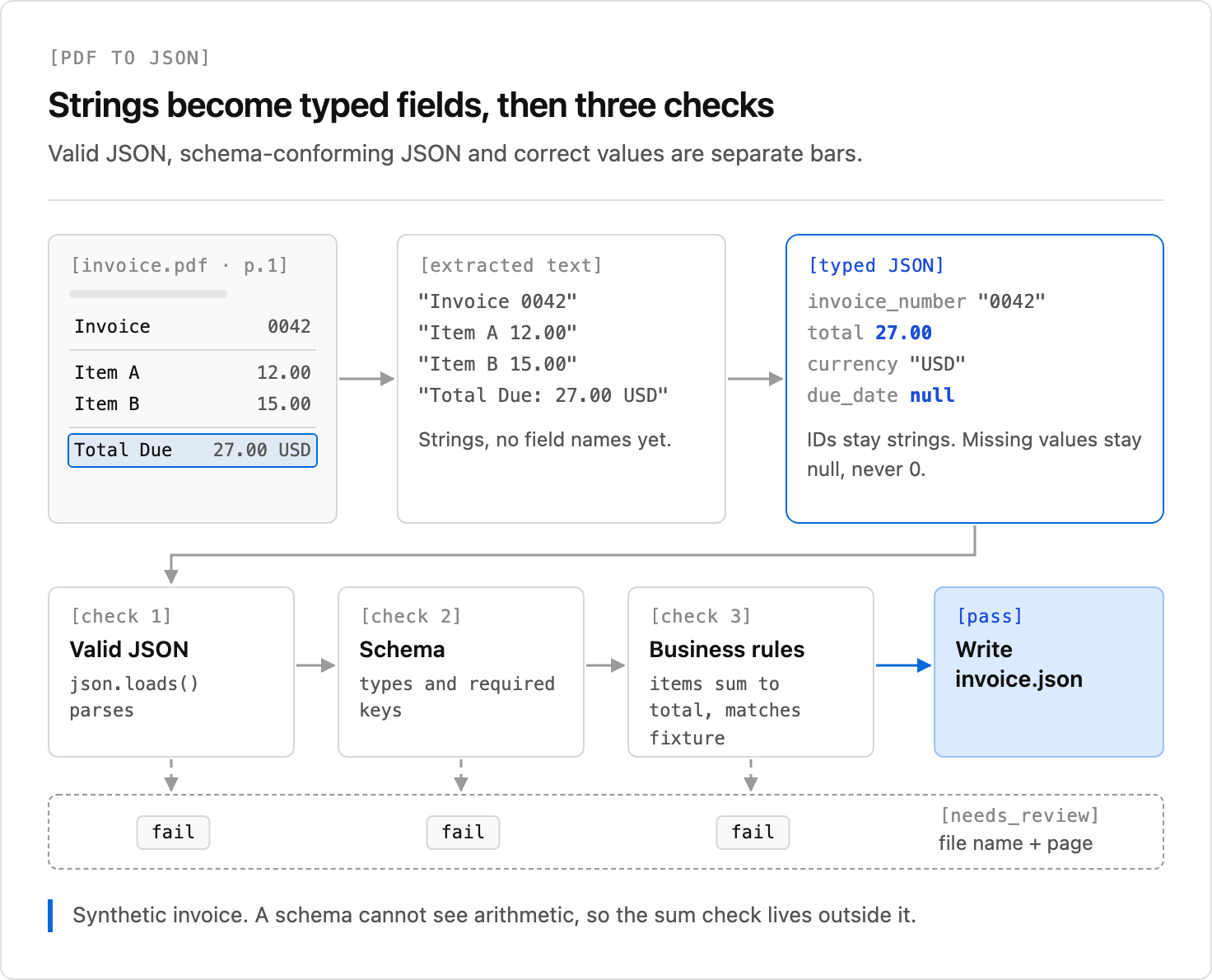
The project includes a saved sample response and an offline test that checks the three values and their citations. A later run can differ, so compare its output with the PDF. The diagram illustrates additional validation steps for a different invoice; the sample script saves the response for inspection rather than performing those checks automatically.
Submit the Schema and Save the Response
The example sends pdf_file, JSON-encoded schema_data, and enable_citations=true to /v2/extract, then polls /extract/{job_id}. It saves the complete response instead of discarding field scores or citations. The submission is not retried automatically: if the response is lost after the server accepts a job, blindly submitting again could create a duplicate job.
Inspect invoice-result.json and compare the extracted invoice number, vendor and total with invoice.pdf. The response may include a review status; route that result to a person instead of treating it as automatically approved. The job results reference explains the scored fields.
Validate Meaning, Not Just Shape
A result that fits a schema can still contain the wrong value. Check required fields, parse amounts with Decimal when doing money arithmetic, and compare invoice totals against line items where the document supplies them. Missing values, unexpected currencies and inconsistent totals should go to review; do not silently turn a missing value into zero.
For a longer example that handles fields and arithmetic in a specific form, see extracting data from a PDF form. Image-only scans and complex layouts need the same checks: review the document's source regions instead of assuming that clean JSON means correct data.
Create an Unsiloed account to try the schema on your own PDF.