

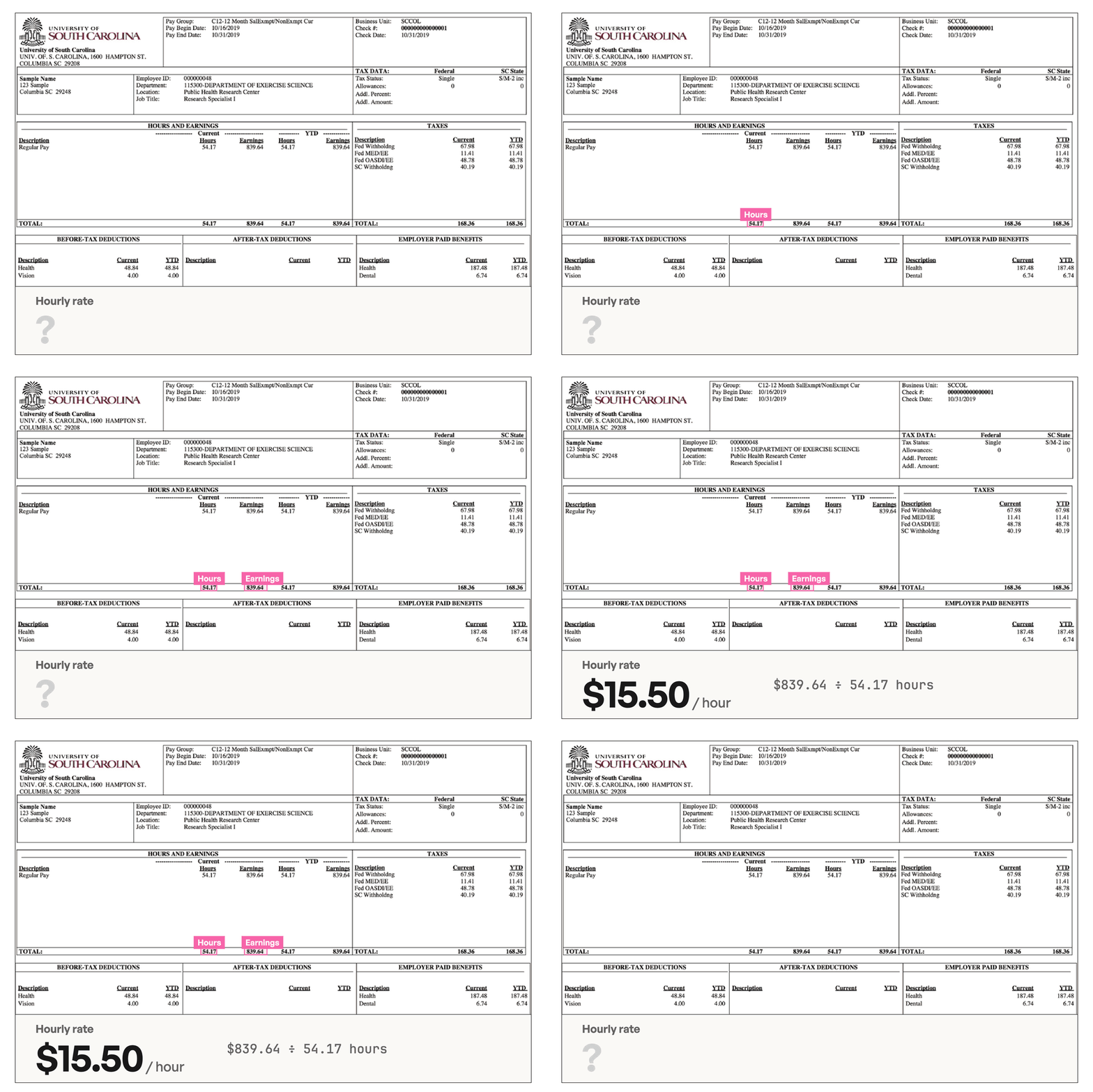
This feature is in beta. The playground and API call it calculated fields or computed fields. In the extraction playground, turn on Calculated Fields. For API requests, pass
enable_computed_fields=true to /v2/extract./v2/extract, asks for an hourly rate that the stub doesn’t print, and saves the calculated rate with the hours and earnings it came from. Grab the full script from the dropdown below if you’d rather skip the walkthrough.
Show the Full Script
Show the Full Script
Set
UNSILOED_API_KEY in your environment, and save the sample pay stub as 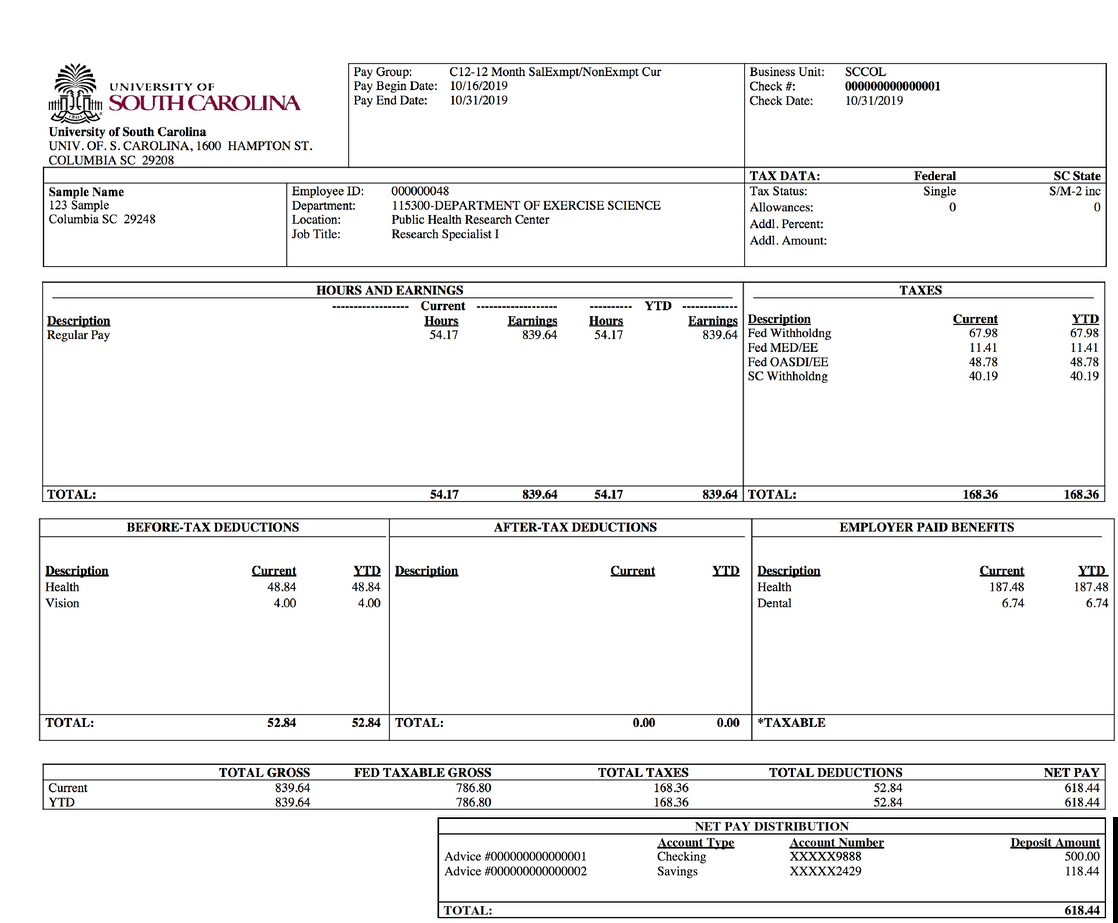
pay-stub.png and the schema from Step 2 as schema.json in the same directory before running.- Python
- cURL
extract_calculated_fields.py
Step 1: Set Up Your Environment
We need an API key, the sample document, and Python’srequests package. The Extract quickstart covers the first and last of these in more detail.
1.1 Export Your API Key
Export your key as an environment variable namedUNSILOED_API_KEY:
1.2 Download the Sample Pay Stub
Download the sample pay stub and save it aspay-stub.png in your working directory.
The stub’s Hours and Earnings table totals 54.17 hours and $839.64 for the pay period, but the stub doesn’t print an hourly rate. That’s the value we’ll calculate.
1.3 Install Dependencies
- Python
- cURL
Install the
requests package:Step 2: Describe the Calculation
A calculated field is an ordinary schema field whosedescription says how to combine other fields. It uses the same JSON Schema rules as the rest of the schema, and you don’t supply any executable code.
2.1 Add the Input Fields
Create a file calledschema.json and add a field for each value the calculation needs:
schema.json
2.2 Add the Calculated Field
Finish the file with the calculated field:schema.json
- It names the input fields by their keys,
current_earningsandcurrent_hours. - It states the operation, dividing one by the other.
- It says the value isn’t printed, so the API calculates it instead of searching the page for it.
Step 3: Submit the Document
The request is a normal/v2/extract call with enable_computed_fields set to true. We also set enable_citations to true so that each input comes back with its location on the page.
3.1 Set Up the Script
- Python
- cURL
Create a file called
extract_calculated_fields.py and start with the imports, configuration, and schema:extract_calculated_fields.py
3.2 Upload the Pay Stub
- Python
- cURL
Next, upload the pay stub and schema, then print the job ID:The file goes in the
extract_calculated_fields.py
pdf_file form field even though it’s a PNG.Step 4: Poll for the Result
Calculated fields add a stage to the job. Processing time varies from seconds to several minutes, so allow a longer timeout than you would for ordinary extraction.4.1 Write the Polling Loop
- Python
- cURL
Next, poll every 10 seconds for up to 20 minutes:If the loop times out, keep the job ID and check its status later rather than submitting the document again.
extract_calculated_fields.py
4.2 Save and Print the Result
- Python
- cURL
Finally, save the full response and print the calculated rate:Run the script:The output looks like this:
extract_calculated_fields.py
Step 5: Read the Calculated Result
Openresult.json. The hourly_rate field holds the answer, the inputs it used, and the checks the API ran.
5.1 Check the Outcome
computed.outcomeiscalculatedwhen the field has a value. Check it before you usevalue.computed.explanationstates the calculation in plain language.computed.inputs_usedandcomputed.inputs_emptycount the inputs that had values and the inputs that were empty.citationisnullbecause the hourly rate isn’t printed anywhere to point to.
15.500092302012185 to 15.50 in your application if you need a currency amount.
5.2 Trace the Inputs
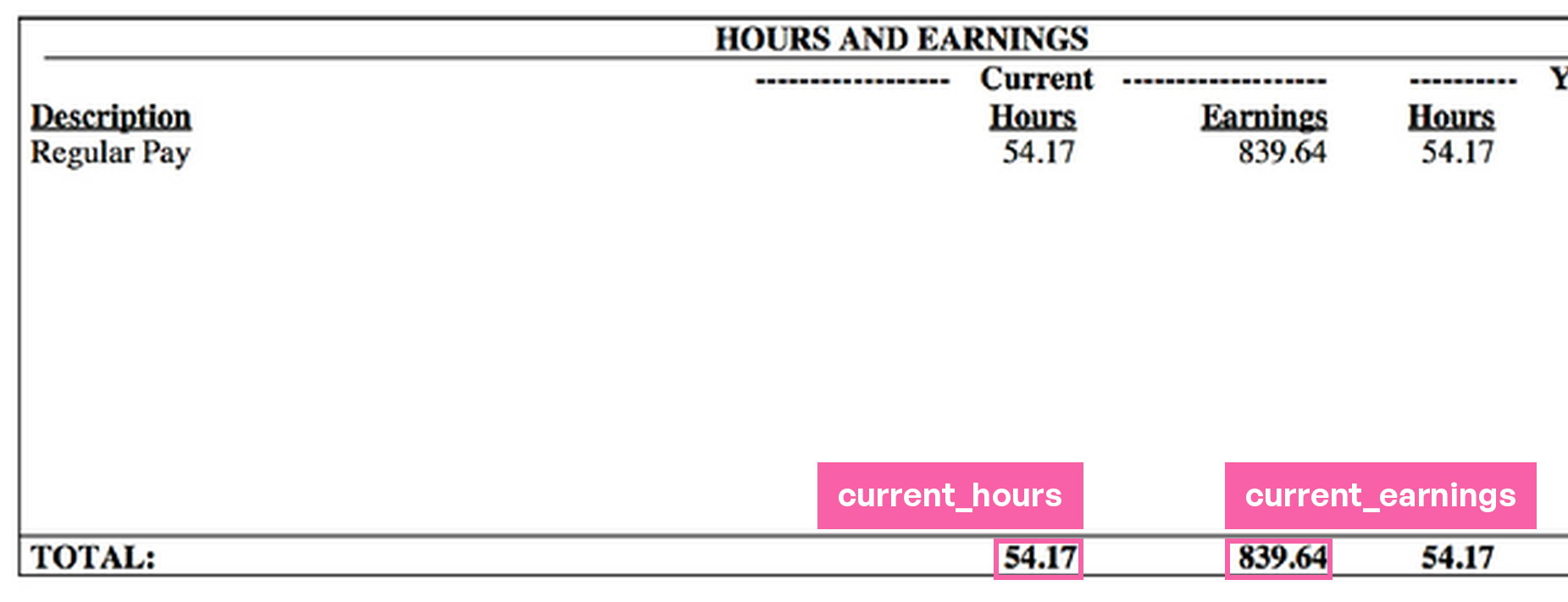
path and gives the value used. The citation box shows where that value appears on the page, so you can verify the calculation against the document. An input’s citation is null when enable_citations is false.
Drawing the two boxes on the sample pay stub highlights the TOTAL row values:
5.3 Review the Checks
printed_value compares the result against a matching value printed in the document, and formulas_agree compares alternative formulas. Both are not_run here, so neither validated this answer.
Handle Refused Calculations
A job can finish withstatus: "completed" while a calculated field is refused. For example, changing the hourly_rate description to ask for the rate “rounded to the nearest cent” returned this field:
null value, so treat it as missing, not as zero. Read cause and detail to decide whether to revise the field’s description or calculate the value in your application from the extracted inputs.