
What Is Automated Processing? A Complete Guide for March 2026
Most automated claims processing and invoice workflows look impressive in controlled demos but quietly fail in production when documents arrive with inconsistent formats, poor scan quality, or complex table layouts. Your team ends up manually fixing extraction errors, rerouting misclassified files,


Most automated claims processing and invoice workflows look impressive in controlled demos but quietly fail in production when documents arrive with inconsistent formats, poor scan quality, or complex table layouts. Your team ends up manually fixing extraction errors, rerouting misclassified files, and validating outputs that should have been reliable from the start. The gap between automation that works on perfect inputs and automation that scales across real documents is where most implementations get stuck, and it's usually the parsing layer that determines which side of that gap you're on.
TLDR:
- Automated processing handles data and decisions without manual steps at each stage.
- GDPR Article 22 requires human review paths for decisions with legal or substantial effects.
- Document parsing quality determines whether automation pipelines work in production or fail.
- Common uses include invoice matching, claims triage, and contract extraction across industries.
- Unsiloed AI converts complex documents into structured outputs with confidence scores for reliable automation.
What Is Automated Processing?
Automated processing refers to any system that handles data, documents, or decisions without requiring manual human intervention at each step. It describes a computer-driven process that takes input, applies predefined rules or learned models, and produces consistent output, whether that's a sorted database, a routed insurance claim, or a credit decision made in seconds.
Two distinct but related concepts fall under this umbrella. Automated data processing covers the collection, transformation, storage, and retrieval of information, think payroll systems, clearing houses, and document parsing pipelines. Automated decision-making goes a step further: it produces a judgment or outcome based on that data, often without a human ever reviewing the individual case.
The difference matters legally and in practice. Processing data automatically is table stakes for most enterprises. Making decisions automatically, especially ones that affect people, carries a different weight entirely.
Types of Automated Processing Systems
Not all automated processing works the same way. The architecture you choose shapes latency, cost, and the kinds of workflows you can run reliably.
Batch Processing
Batch systems collect data over a period of time and process it all at once, typically on a schedule. Payroll runs, end-of-day bank reconciliations, and bulk document parsing jobs are classic examples. Batch works well when immediacy doesn't matter and throughput does.
Real-Time Processing
Real-time systems process each input the moment it arrives. Fraud detection, automated loan approvals, and payment authorization all depend on this model. The tradeoff is infrastructure complexity and cost, since low-latency pipelines require more resources than scheduled jobs.
Stream Processing
Stream processing sits between batch and real-time. It handles continuous data flows, like transaction logs or sensor feeds, by processing events in small rolling windows instead of one-at-a-time or all-at-once. It's common in financial monitoring and IoT pipelines.
Hybrid Systems
Most production systems combine approaches. A mortgage servicer might use real-time classification to route incoming documents instantly, then batch extraction overnight to pull structured data from each file. Choosing the right mix comes down to latency requirements, data volume, and how much human review exists downstream.
| Type | Latency | Best For |
| Batch | Minutes to hours | Payroll, bulk exports, archive processing |
| Real-Time | Milliseconds | Fraud detection, loan decisions, payments |
| Stream | Seconds to minutes | Transaction monitoring, sensor pipelines |
| Hybrid | Varies | Document workflows, multi-stage automation |
Key Components of Automated Data Processing
Any automated data processing system, regardless of industry or scale, is built from a handful of core components. Understanding them helps you assess whether a given tool or pipeline will hold up in production.
Data Collection and Ingestion
Everything starts with getting data in. Ingestion layers pull from sources like document uploads, API feeds, database exports, or cloud storage buckets. The challenge here is format variety. PDFs, spreadsheets, scanned forms, and images all arrive with different structure, and a fragile ingestion layer breaks the entire pipeline downstream.
Transformation and Parsing
Raw inputs need to be converted into something machines can work with. For unstructured documents, you need to extract text, tables, and visual elements while preserving layout and hierarchy. This step is where most pipelines quietly fail in production.
Integration and Routing
Parsed data rarely stays in one place. Integration layers pass outputs to downstream systems like ERPs, CRMs, or vector databases. Routing logic determines which data goes where based on document type, confidence scores, or content signals.
Storage and Indexing
Processed data needs a home, whether that's a relational database, a document store, or a vector index built for retrieval. How data gets indexed directly affects query speed and retrieval accuracy, especially in RAG pipelines.
Analysis and Decision Engines
The final layer applies logic to stored, structured data through rule-based engines, statistical models, and AI-driven classifiers that produce outputs like risk scores, approvals, or routed workflows. The quality of every upstream component directly determines how reliable this layer can be.
Automated Decision-Making and GDPR Compliance
GDPR Article 22 sets the legal boundary for automated decision-making in Europe, and its reach extends well beyond EU-based companies. Any organization processing data about EU residents falls under its scope, regardless of where that organization is headquartered.
What Article 22 Covers
Under Article 22, individuals have the right not to be subject to decisions made solely by automated means when those decisions produce legal effects or seriously affect them. Credit scoring, insurance pricing, and hiring filters all qualify. The word "solely" carries real weight here: if a human meaningfully reviews the automated output before a decision is finalized, Article 22 protections may not apply.
When Automated Decisions Are Permitted
Three exceptions allow solely automated decisions under GDPR:
- The decision is necessary to perform a contract with the individual
- It is authorized by EU or member state law
- The individual has given explicit consent
Even when one of these applies, organizations must still offer the right to request human review, contest the decision, and receive a meaningful explanation of the logic involved.
Practical Compliance Considerations
Building compliant automated systems means more than adding a checkbox. You need audit trails showing what data fed a decision, confidence scores that flag uncertain outputs for human review, and clear data retention policies. Organizations that treat compliance as an afterthought typically find the gaps during a regulatory inquiry instead of before.
Benefits of Automated Processing for Enterprises
The automated data processing market is projected to grow from USD 635.59 billion in 2025 to USD 1,306.14 billion by 2034, at a CAGR of 8.33%. That growth reflects real pressure enterprises face to do more with less.
The core benefits are:
- Lower costs by replacing manual data entry and review
- Faster cycle times across invoicing, claims, and document workflows
- Consistent accuracy that doesn't degrade with volume or fatigue
- Scalability without proportional headcount increases
- Auditable outputs that support compliance and human oversight
Human review stays valuable, but reserving it for edge cases instead of every transaction is where automation pays off.
Common Use Cases Across Industries
Automated processing shows up across nearly every industry, though the specific workflows vary.
- Finance: fraud detection flags suspicious transactions in real time, while automated loan processing pulls applicant documents, scores risk, and routes approvals without manual file review.
- Healthcare: claims processing systems match procedure codes against coverage rules automatically, and patient intake forms get parsed and routed to the right downstream records.
- Legal: contract analysis pipelines extract key data from large document batches, flagging compliance gaps before human counsel reviews.
- Manufacturing: quality control systems inspect output against specification thresholds continuously, and supply chain automation matches purchase orders against inventory signals.
- Retail: inventory management reorders stock based on sales velocity, while personalized marketing engines segment customers and trigger campaigns based on behavioral data.
The common thread is removing humans from repetitive, rules-based steps while preserving human judgment for exceptions.
Automated Invoice and Claims Processing
Invoice processing and insurance claims share a structural problem: both involve high document volumes, inconsistent formats, and costly errors when data gets misread or misrouted.
Automated invoice processing captures incoming invoices across formats, extracts line items, vendor details, and totals, then validates them against purchase orders before routing for approval. What used to take AP teams days of manual matching now completes in hours. Automated claims processing works similarly: a submitted claim gets parsed, procedure codes and coverage rules get checked automatically, and the claim routes to payment or exception review without a human touching every file.
The accuracy of both workflows depends entirely on how well the document parsing layer handles real-world inputs. Scanned PDFs, handwritten forms, and multi-page claim packets all break generic OCR. Vision-first parsing that preserves layout and table structure is what separates a pipeline that works in a demo from one that holds up at scale. Human reviewers still matter, but the goal is routing only the genuinely ambiguous cases to them.
Risks and Challenges of Automated Processing
Automation creates real value, but it also surfaces new failure modes that manual processes hide.
- Data security: automated pipelines move sensitive data across ingestion, transformation, and storage layers, multiplying the attack surface compared to isolated manual workflows.
- Legacy integration: older ERP and claims systems weren't built with API-first ingestion in mind, making clean handoffs between new automation tools and existing infrastructure genuinely hard.
- Algorithmic bias: models trained on historical data inherit the patterns baked into that data, which can quietly reproduce discriminatory outcomes in hiring filters or credit decisions.
- Over-reliance: removing humans from a workflow entirely removes the catch when something breaks, and pipelines often break in ways that aren't obvious until downstream damage has already accumulated.
- Ongoing maintenance: document formats change, rules update, and model drift is real. A pipeline that works today needs active monitoring to keep working next quarter.
The fix for most of these isn't avoiding automation. It's designing systems with confidence scoring, human-review escalation paths, audit trails, and scheduled revalidation built in from the start.
Implementing Automated Processing Systems
Start with the workflow causing the most pain. High-volume, rules-heavy processes like invoice matching or claims triage are good candidates because they have clear inputs, measurable outputs, and obvious error costs.
Once you've picked a starting point:
- Audit current workflows to identify where manual steps slow things down or introduce errors
- Define success metrics before you build, whether that's cycle time, error rate, or cost per transaction
- Select tools that handle your actual document types, including messy scans and complex layouts beyond clean PDFs in a demo
- Run a phased pilot on a subset of real volume before full rollout
- Build in human escalation paths for low-confidence outputs from day one
- Set a review cadence to catch model drift and format changes early
Change management matters as much as the tech. Teams that feel replaced tend to work around new systems. Framing automation as handling repetitive work while surfacing exceptions for human judgment lands better than positioning it as headcount reduction.
Track both direct ROI (hours saved, error rates, cycle times) and indirect gains like reduced compliance exposure or freed reviewer capacity. Most organizations see meaningful returns within two to three quarters on well-scoped deployments, but only if the underlying data pipeline produces reliable outputs. A fast system built on bad parsing just produces wrong answers faster.
How Unsiloed AI Powers Automated Document Processing Workflows
Most automated processing failures trace back to the same root cause: the document parsing layer couldn't handle real-world inputs reliably. Clean PDFs in a controlled demo are easy. Scanned mortgage packets, multi-page insurance claims, and dense financial filings are not.
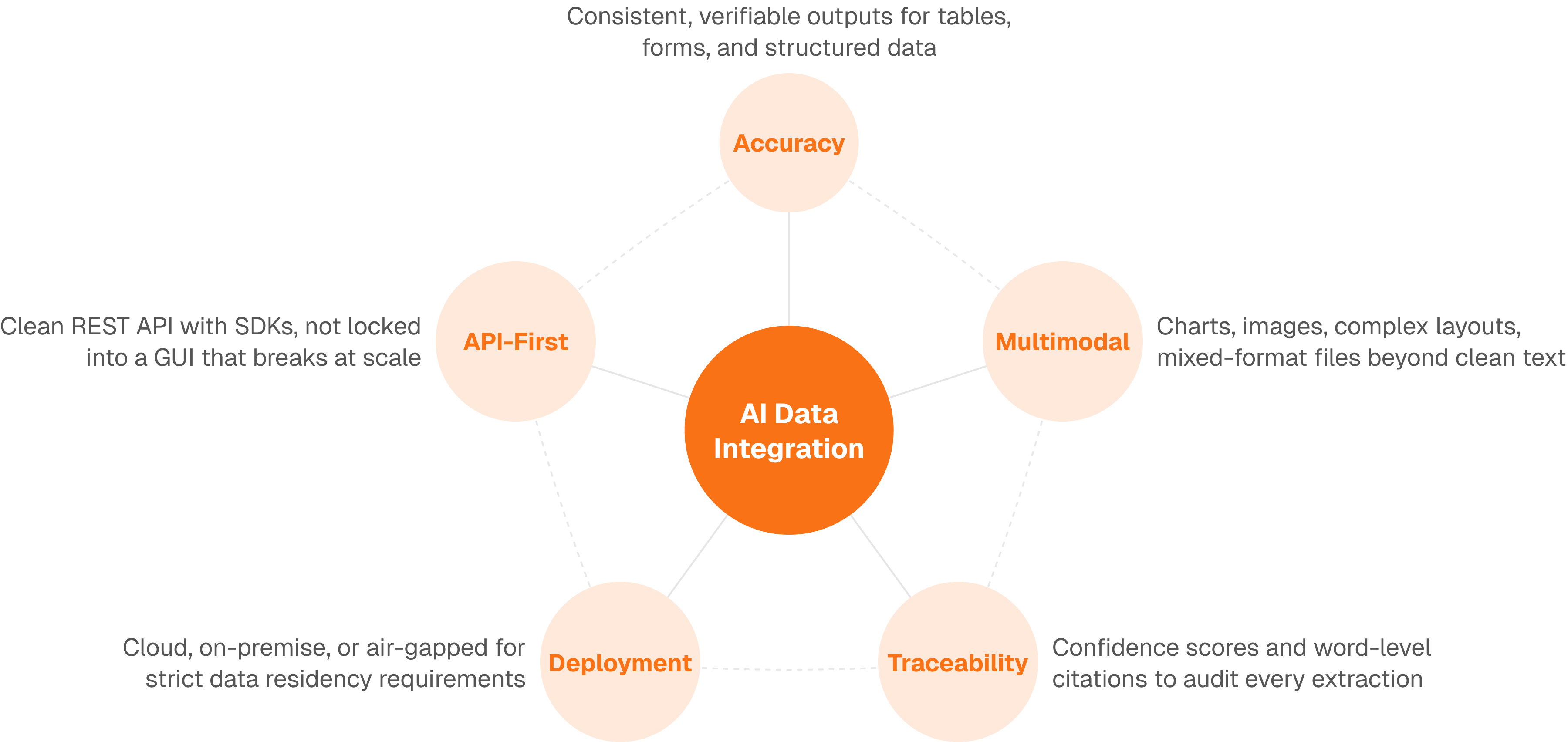
Unsiloed AI sits at that layer. Our parsing API converts complex PDFs, invoices, contracts, and forms into structured Markdown and JSON that downstream automation can actually use, preserving table structure, reading order, and visual hierarchy instead of stripping them away. Our extraction API pulls specific fields using custom JSON schemas, returning confidence scores and word-level citations so your validation logic knows exactly when to escalate to human review.
Final Thoughts on Making Automation Work
The promise of automated processing is real, but only if your document parsing holds up against the inputs your teams actually see. Generic OCR breaks on handwritten forms, multi-column layouts, and embedded tables. You need extraction that preserves structure and returns confidence scores so your validation logic knows when to escalate. Start with a controlled pilot on your highest-volume workflow, measure error rates against your current manual process, and build human review paths from the beginning. Book a demo to see how vision-first parsing handles your document types.
FAQ
What's the main difference between automated data processing and automated decision-making?
Automated data processing handles the collection, transformation, and storage of information without making judgments, like a payroll system calculating hours worked. Automated decision-making produces outcomes that affect people based on that data, such as approving or denying a loan application, which carries different legal and compliance requirements under regulations like GDPR.
How long does it typically take to implement an automated processing system?
Most organizations see production deployments within two to three quarters when they start with a well-scoped workflow like invoice matching or claims triage. The timeline depends on your document complexity, legacy system integration requirements, and how thoroughly you pilot the system on real data before full rollout.
When should you route automated outputs to human review instead of full automation?
Route to human review when confidence scores fall below your threshold, when decisions have legal or serious personal impact (as required by GDPR Article 22), or when the input format differs meaningfully from training data. Build these escalation paths from day one instead of adding them after problems surface.
Can you automate document processing if your files are scanned or handwritten?
Yes, but generic OCR breaks on scanned forms, handwritten inputs, and complex layouts. Vision-first parsing systems that understand document structure and preserve table hierarchies handle these real-world inputs reliably, while text-only approaches struggle with anything beyond clean digital PDFs.
What are the most common reasons automated processing pipelines fail in production?
Document parsing layers that can't handle format variety cause most failures, followed by poor legacy system integration, lack of confidence scoring for uncertain outputs, and insufficient monitoring for model drift. A fast pipeline built on unreliable parsing just produces wrong answers faster.