Data Extraction Software: Technical Evaluation Guide for May 2026
Everyone claims their PDF data extraction software works great until you feed it the scanned contracts and financial reports you actually need to process. Vendor accuracy numbers mean nothing when they're measured on clean datasets that look nothing like your documents. This guide covers the archite


Everyone claims their PDF data extraction software works great until you feed it the scanned contracts and financial reports you actually need to process. Vendor accuracy numbers mean nothing when they're measured on clean datasets that look nothing like your documents. This guide covers the architecture decisions, accuracy testing approaches, and infrastructure requirements that determine whether an extraction tool will survive contact with your production workload.
TLDR:
- WebPlotDigitizer works for graph extraction but manual tracing does not scale past small datasets
- Vision-based extraction hits 85-95% accuracy on mixed-format docs vs 60-70% for text-only tools
- Schema-driven extraction with confidence scores prevents hallucinated fields from breaking pipelines
- Poor data quality costs organizations $12.9M annually and compounds across AI agent reasoning steps
- Unsiloed AI provides deterministic extraction with word-level citations and bounding boxes for every field
WebPlotDigitizer and Graph Data Extraction Tools
WebPlotDigitizer remains one of the most searched free tools for extracting numerical data from graph images. Researchers upload a chart, calibrate axes, and manually or semi-automatically trace data points to recover underlying values.
Several versions circulate across download sites and repositories:
- WebPlotDigitizer v4 introduced a cleaner interface and improved axis calibration for polar and ternary plots.
- WebPlotDigitizer 5.2 added bar chart extraction improvements and better color-based point detection.
- The tool is available as a free online version, a desktop download for Windows, and on GitHub for self-hosted setups.
For systematic reviews, WebPlotDigitizer is frequently cited in methods sections to document how graph data was recovered from published figures. Its citation format typically references the author (Rohatgi) and the version used.
The core limitation is throughput: manual point selection does not scale across dozens of papers efficiently.
Technical Architecture Evaluation Criteria
When selecting data extraction software, the underlying architecture determines whether a tool will hold up under real-world conditions. There are several technical dimensions worth reviewing before committing to any solution.
Key Evaluation Criteria
- Ingestion pipeline flexibility: can the tool handle structured, semi-structured, and unstructured sources without custom connectors for every format?
- Output schema consistency: does extracted data arrive in a predictable, queryable format, or does it require downstream cleaning before use?
- AI model transparency: for AI-powered tools, can you inspect how extraction decisions are made, or is output a black box?
- Scalability under load: does throughput degrade on large document volumes, and what are the concurrency limits?
- Integration surface: what APIs, webhooks, or export formats are supported for connecting to downstream systems?
| Tool | Primary Use Case | Accuracy Range | Scalability | Schema Support | Key Limitation |
| WebPlotDigitizer | Graph data extraction from images, systematic reviews | High accuracy on calibrated graphs when manually traced | Low - manual point selection does not scale beyond small datasets | No structured schema output, exports CSV coordinates | Throughput bottleneck due to manual tracing requirement |
| Unsiloed AI | Multimodal document extraction with citations and confidence scoring | 85-95% on mixed-format documents with vision-based parsing | High - production-ready with batch processing and concurrent workloads | JSON Schema validation with nested objects, arrays, and type enforcement | Commercial solution with vendor dependency considerations |
| Specialized Table Extraction Tools | Complex table extraction from sustainability reports and structured documents | 97.9% on complex table extraction benchmarks | Medium - performance varies widely by document type | Structured output available, schema capabilities vary | Accuracy claims may not generalize across document categories |
| Traditional OCR Tools | Text extraction from scanned documents and image-based PDFs | 60-70% on complex layouts, 15-30% error rates on irregular grids | Medium - batch processing available but degrades on complex documents | Minimal - typically return raw text without structural understanding | Break down on merged cells, multi-column layouts, and handwritten content |
Production Infrastructure Requirements
When moving from evaluation to production, infrastructure requirements often determine which tools actually survive contact with real workloads.
At scale, you need to account for:
- Throughput limits and rate throttling behavior under concurrent document loads, since many tools degrade unpredictably instead of failing cleanly.
- Memory footprint during batch processing, particularly for PDF pipelines handling large files or high page counts.
- API availability and versioning stability, because production systems break when vendors deprecate endpoints without notice.
- On-premise or private cloud deployment options, which matter for teams with data residency requirements or strict security policies.
- Logging, monitoring, and error recovery hooks that let your engineering team observe failures and retry gracefully without manual intervention.
Open source tools give you full infrastructure control but require your team to own uptime. Commercial APIs offload that burden but introduce vendor dependency. The right choice depends on your team's day-to-day capacity and compliance constraints.
Accuracy Benchmarks and Performance Testing
Vendor accuracy claims rarely survive contact with your actual documents. A benchmark built on clean, single-column PDFs tells you nothing about performance on scanned forms, mixed-layout tables, or financial exhibits with merged cells.
Third-party benchmarks offer a useful starting point. Some specialized tools have achieved 97.9% accuracy in complex table extraction on sustainability report benchmarks, which is a meaningful data point for teams processing similar document types. But domain matters heavily: sustainability reports are not mortgage agreements, and performance on one document category does not generalize to another.
Build your own evaluation set from a representative sample of your production documents, then run every candidate tool against it before committing. That internal benchmark will tell you far more than any vendor datasheet.
PDF Extraction Methods and OCR Limitations
PDF extraction sits at the intersection of file format complexity and OCR accuracy constraints. Most tools fall into one of two categories: rule-based parsers that rely on PDF structure metadata, and OCR-based engines that treat each page as an image.
Rule-based parsers work well on digitally-created PDFs where text layers are intact, but break down on scanned documents. OCR-based approaches handle scanned files but introduce character recognition errors that compound in tables and multi-column layouts. Studies show OCR error rates on complex layouts can reach 15-30%, which is meaningful for research workflows where accuracy matters.
Key Factors to Weigh
- Table detection quality varies widely across tools, with many struggling to preserve row-column relationships in merged cell layouts or irregular grids.
- Font encoding inconsistencies in older PDFs frequently cause garbled output even when text layers are technically present.
- Handwritten content remains a hard problem for most extraction tools, requiring specialized models beyond standard OCR pipelines.
Vision-Based Parsing for Multimodal Documents
Multimodal documents combine charts, tables, scanned text, and images in ways that rule-based parsers consistently fail to handle. AI extraction tools that use vision models can interpret layout context beyond raw text, which matters when a figure caption sits below a chart or when column headers span merged cells.
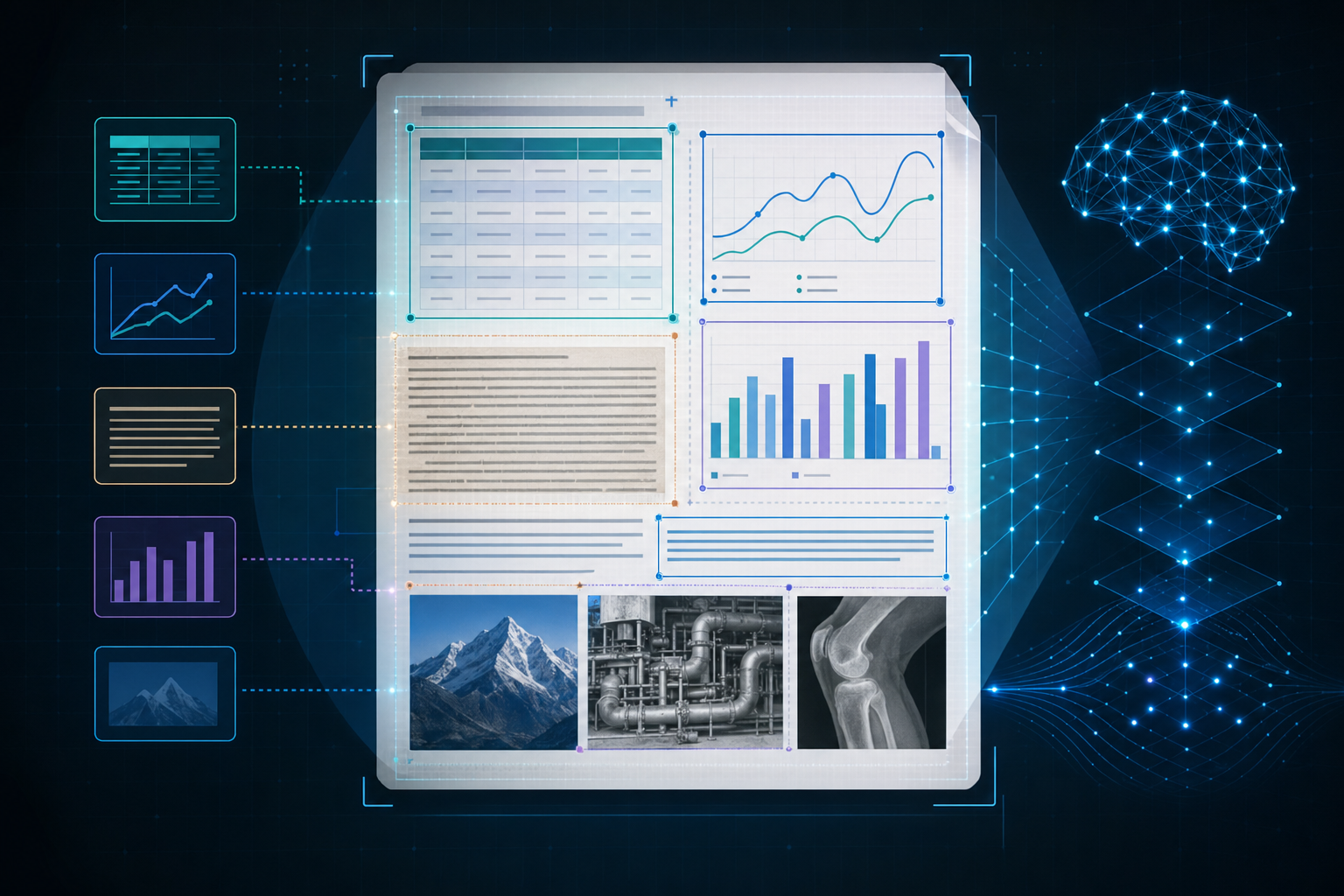
Accuracy rates for vision-based extraction on mixed-format documents reach 85-95%, compared to roughly 60-70% for text-only approaches on the same inputs. The gap widens further with handwritten annotations or low-resolution scans.
For research and financial workflows where documents are rarely uniform, vision-based parsing is worth testing as a baseline requirement.
Schema-Driven Extraction and JSON Validation
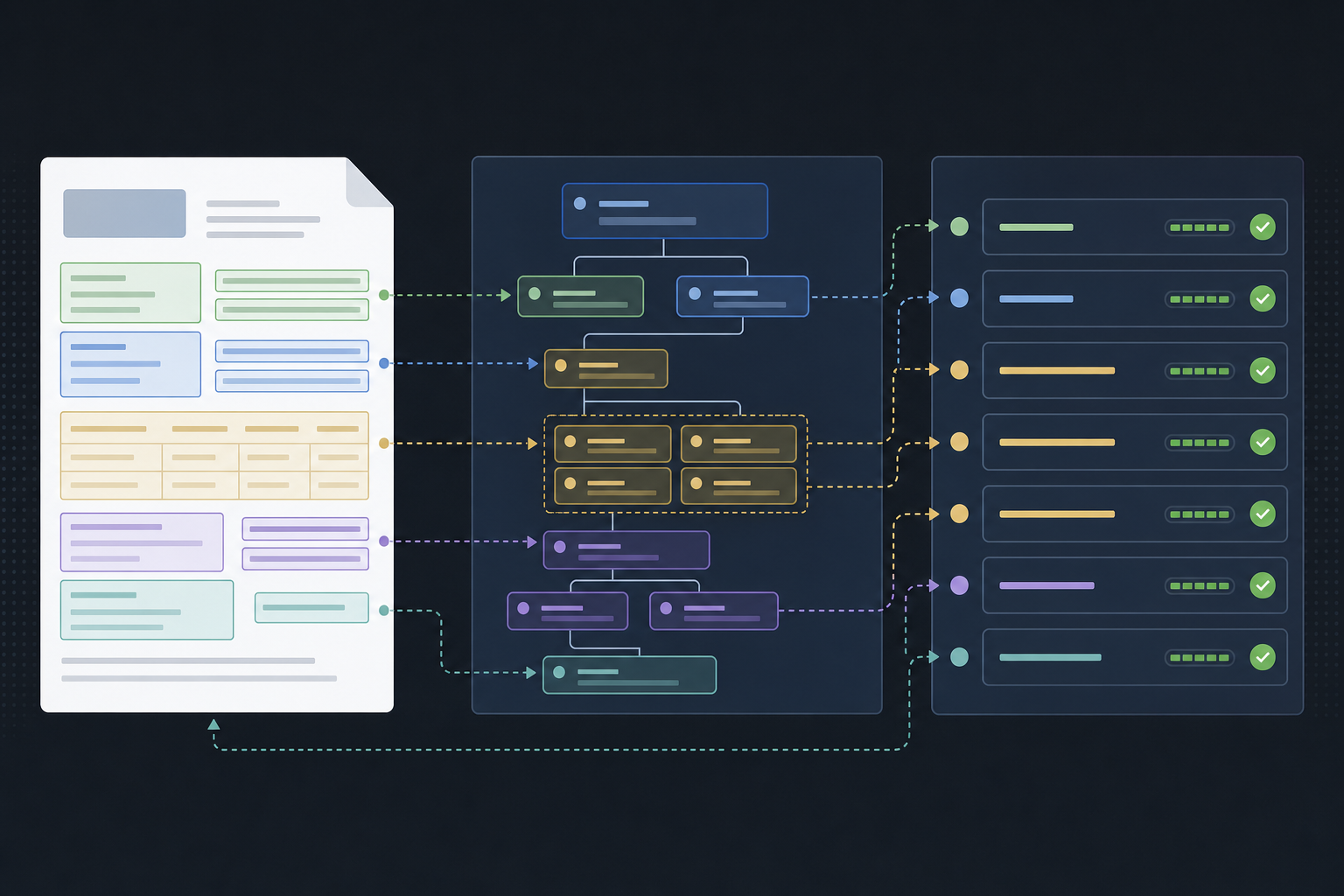
Pure AI extraction without a schema contract tends to drift: field names shift between runs, values arrive in unexpected formats, and nested structures collapse. Strict type enforcement via JSON Schema locks the output shape before extraction begins, preventing hallucination from reaching downstream systems.
Every extracted field returns a value, a confidence score, and source bounding boxes mapped back to the original document. Nested objects and arrays follow the same traceability pattern, so structures like invoice line items or contract parties are as auditable as any flat string field.
API Integration and Developer Experience
Most data extraction tools offer REST APIs, but the quality of that API determines how far you can take your integration. Look for endpoints that return structured JSON, support batch requests, and offer webhook callbacks for async jobs. Rate limits and authentication models (API keys vs. OAuth) also vary widely and affect how reliably you can build on top of a tool.
For Python workflows, check whether an official SDK exists or whether you are writing raw HTTP calls. SDKs reduce boilerplate and handle retries automatically. GitHub repositories signal maintenance health through commit frequency, open issue resolution time, and the presence of versioned releases.
Data Extraction Infrastructure for AI Agents
Agentic workflows depend on reliable data extraction as their foundation. When an AI agent needs to pull structured information from documents, websites, or databases, the extraction layer determines whether the entire pipeline succeeds or fails. Research shows that poor data quality costs organizations an average of $12.9 million annually. For AI agents, extraction errors compound across reasoning steps, turning a small upstream mistake into a completely wrong output downstream.
Key requirements for extraction infrastructure supporting AI agents:
- Structured output that maps cleanly to schemas your agent can reason over
- Confidence scoring so agents can flag uncertain extractions before acting on them
- Retry and fallback logic built into the extraction layer itself
Final Thoughts on Building Data Extraction Pipelines
For research workflows or financial document processing, the right data extraction software depends on throughput requirements, accuracy tolerance, and how much infrastructure you want to own. WebPlotDigitizer handles graph extraction well but doesn't scale across document types, while vision-based AI tools can process mixed layouts and scanned content at higher volumes. Your internal benchmark matters more than vendor claims, so test every tool against representative samples before building production pipelines around it. Book a demo to see how schema-driven extraction performs on your documents.
FAQ
What's the best data extraction software for systematic reviews?
For systematic reviews, your choice depends on document type and throughput needs. WebPlotDigitizer works well for recovering data from graph images in published papers, but manual point selection doesn't scale beyond a few dozen figures. For mixed-format documents containing tables, charts, and text, vision-based extraction tools that understand layout context will save substantial time and reduce errors compared to pure OCR approaches.
Can I extract data from PDF online for free?
Yes, several free tools exist including WebPlotDigitizer free online for graph data extraction and various open-source PDF parsers available on GitHub. Free options work for low-volume use cases, but most have throughput limits and lack the accuracy needed for production workflows. For batch processing or documents with complex layouts like merged cells and multi-column tables, commercial solutions or self-hosted open-source infrastructure typically perform better.
WebPlotDigitizer v4 vs WebPlotDigitizer 5.2?
WebPlotDigitizer 5.2 added improved bar chart extraction and better color-based point detection compared to v4, which introduced polar and ternary plot support. Both versions require manual axis calibration and point tracing. For research workflows processing multiple papers, consider whether manual point selection scales to your volume before committing to either version.
How do I test AI data extraction software accuracy before production?
Build your own evaluation set from 50-100 representative production documents, then run every candidate tool against it and measure extraction accuracy on fields that matter to your workflow. Third-party benchmarks showing 97.9% table accuracy provide useful reference points, but performance varies dramatically across document types. Vendor datasheets don't predict how tools handle your specific PDFs, scanned forms, or mixed-layout tables.
What infrastructure do AI agents need for reliable data extraction?
AI agents require extraction layers that return structured output mapped to predictable schemas, confidence scores for flagging uncertain values before acting on them, and built-in retry logic that handles failures gracefully. Extraction errors compound across agent reasoning steps, so upstream data quality directly determines whether your agentic workflow produces correct outputs or fails completely.